On this page
Accounting comes with the Business and Pro plans (and the free trial). Owners, managers and the Accountant role can open it.
The overview
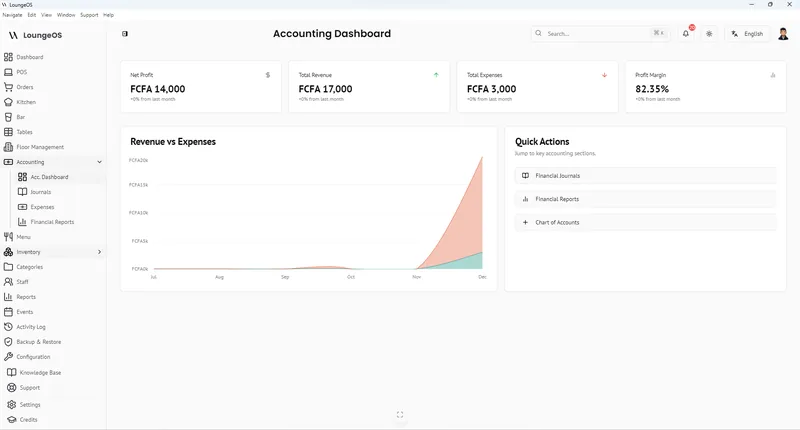
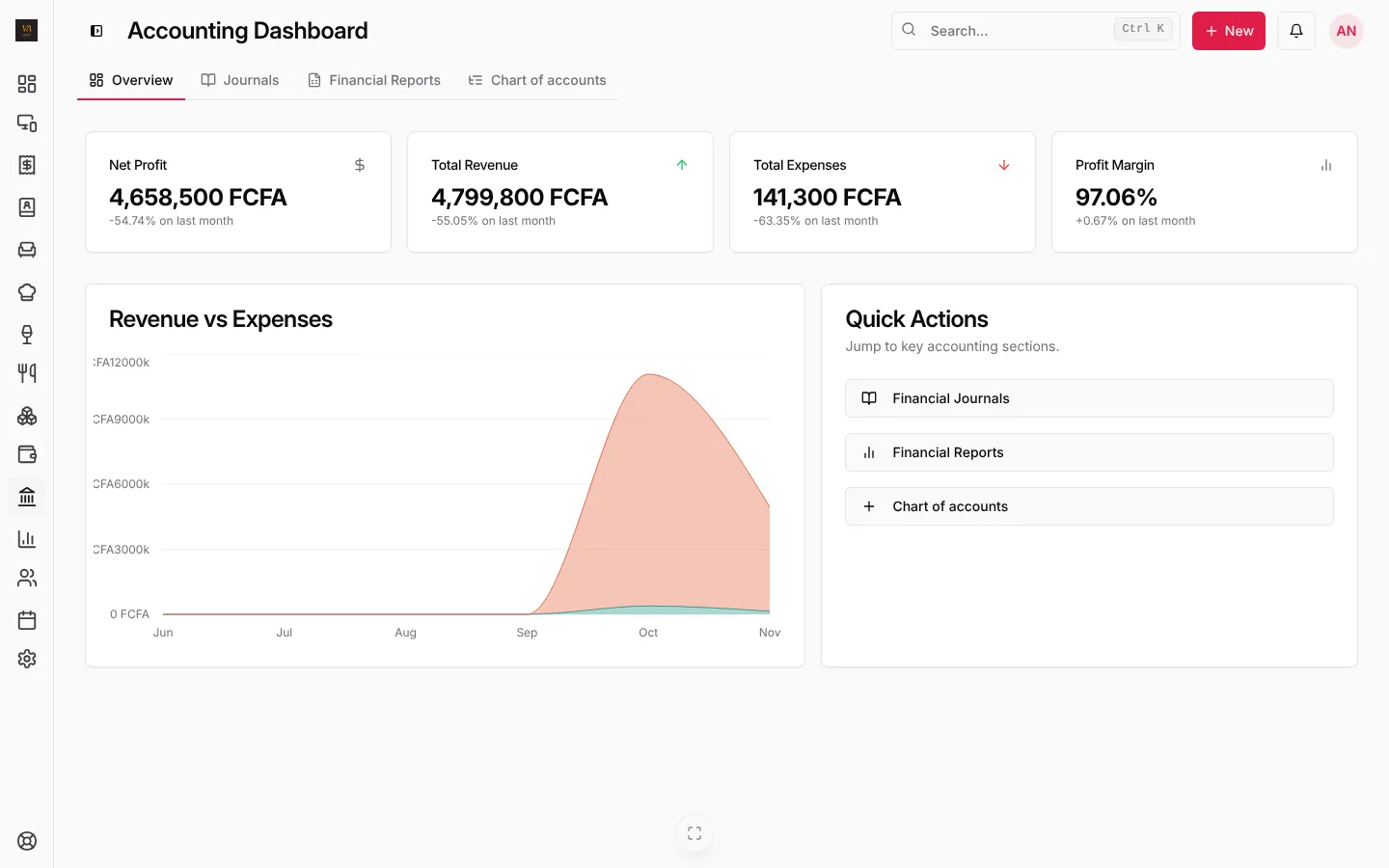
Accounting, Overview shows net profit, total revenue, total expenses and profit margin, each against the month before, with revenue against expenses over time.
Journal entries (automatic)
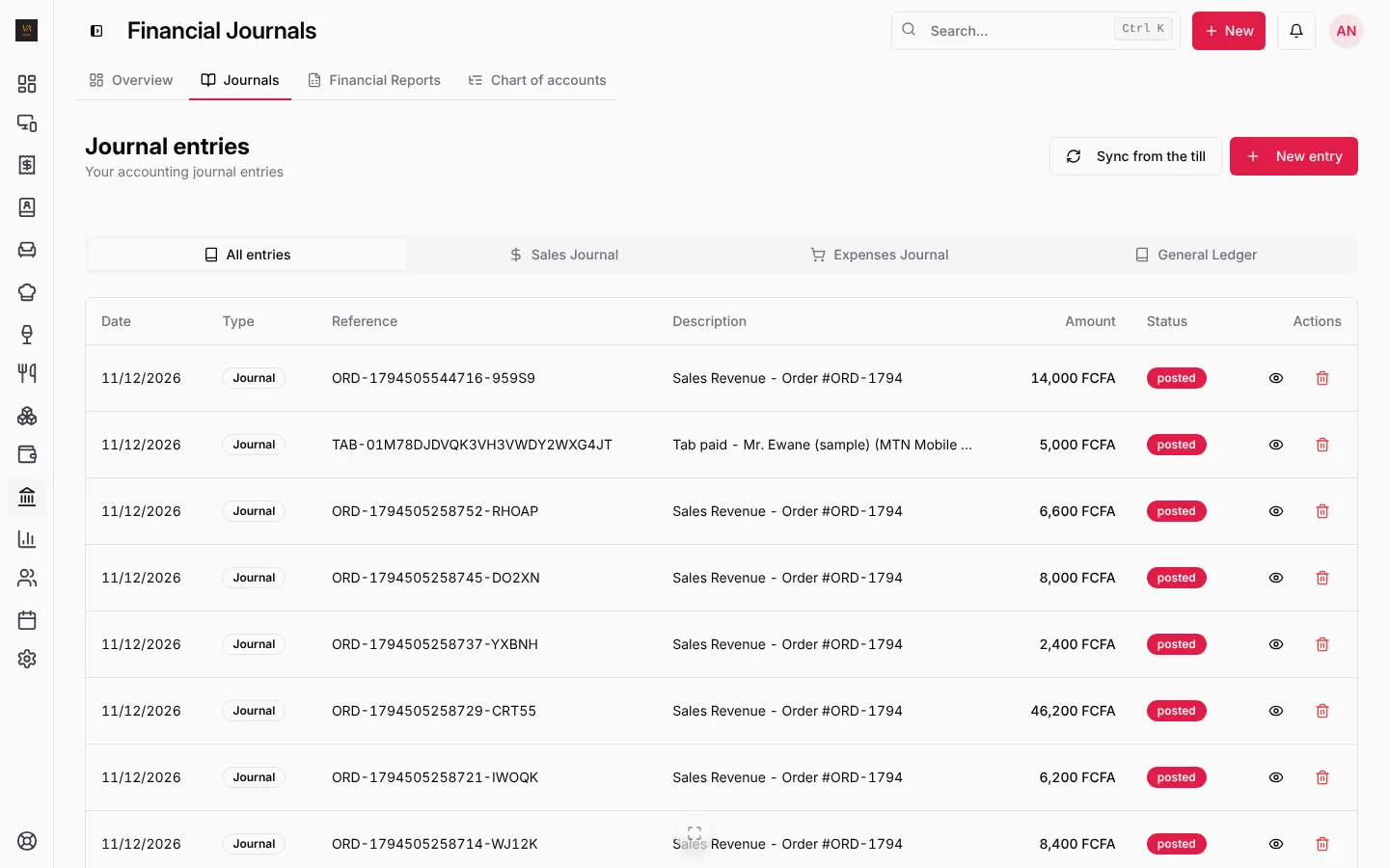
Open Journals. Every entry has its date, type, reference (the order number), description, amount and status. Tabs filter All entries, Sales Journal, Expenses Journal and the General Ledger.
What posts on its own:
- A paid sale: cash, bank or mobile money account against sales revenue (and tax if you charge it).
- A Pay later sale: accounts receivable against revenue. The tab payment then moves it to cash or mobile money.
- A refund: the reverse of the sale.
- An expense: the expense account against where it was paid from.
Need a manual entry (a loan, the owner putting money in)? Press New entry; debits must equal credits. Sync from the till posts any sales a till made offline that have no entry yet.
Financial statements
Open Financial Reports:
- Profit & Loss Statement for any start and end date.
- Balance Sheet as of a date: assets, liabilities and equity.
- Cash Flow.
Each one has Download PDF, in English or French with your logo. If the numbers look short after a busy offline weekend, press Bring the accounts up to date.
Chart of accounts
Chart of accounts lists the accounts LoungeOS uses: 1000 Cash, 1010 Bank, 1020 Mobile Money, 1100 Accounts Receivable, 1200 Inventory… and the expense accounts (5200 Rent, 5300 Utilities, 5320 Fuel and Generator…). Press Add an account for your own.
Frequently asked questions
Is this a full accounting package?
It covers what a restaurant, bar or shop needs day to day, in double entry, with statements your accountant can use. Your accountant still prepares the tax and social security declarations. On Pro, payroll posts wages, deductions and salary advances to the accounts for you.
Why is profit different from sales minus expenses?
Profit also takes off the cost of the stock you sold (from stock items’ cost per unit), not only the expenses you recorded.
Stuck on a step? Write to support@loungeos.app or WhatsApp +237 679 690 703 and say which page you are on.