Offline POS
An offline POS that keeps selling when the internet doesn't
Most POS systems treat offline as an emergency mode with limits. LoungeOS was built to run without internet from the start. Your venue's own computer is the server.
30-day free trial · No credit card · Works without internet
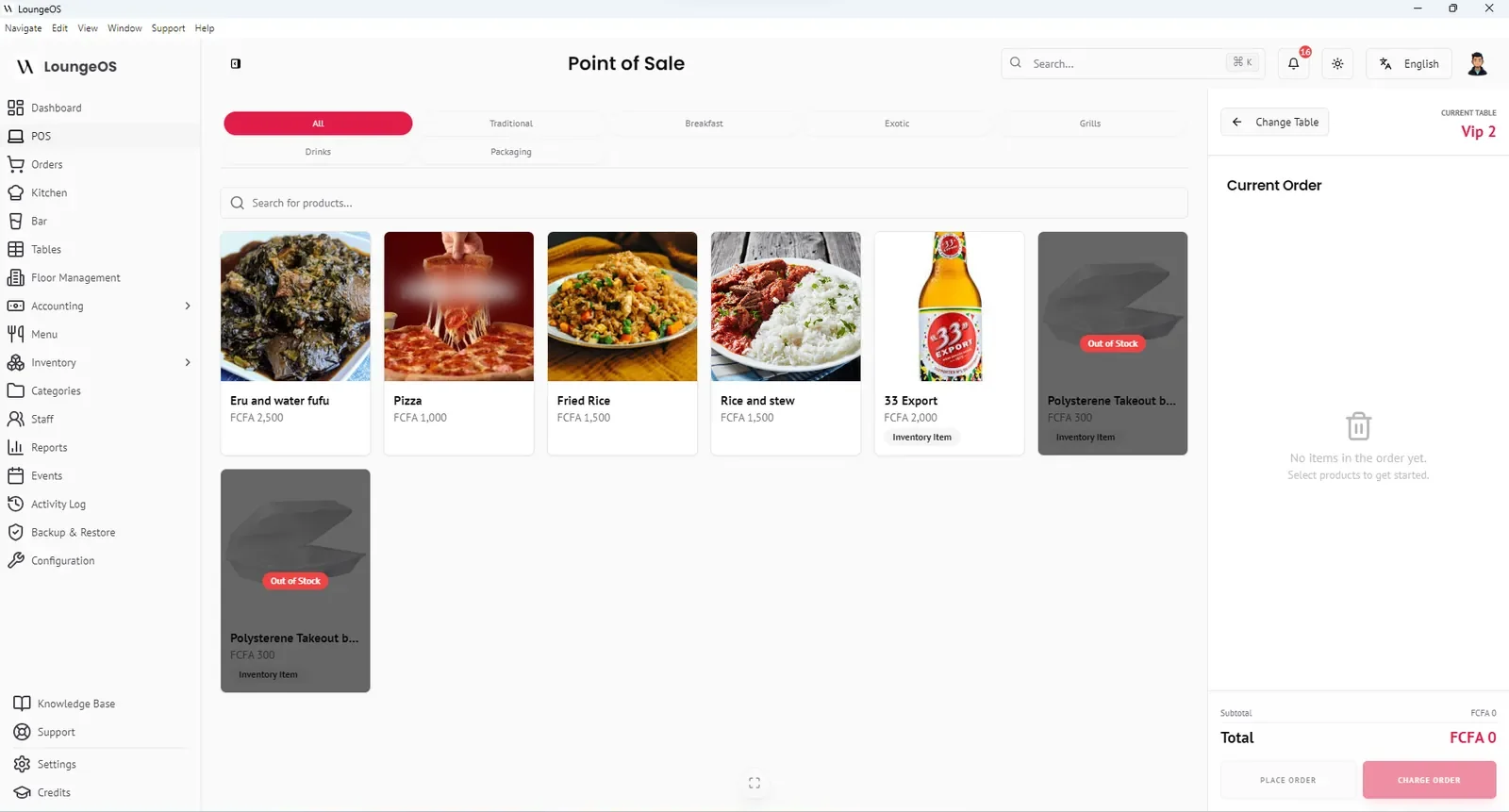
An offline POS is a point of sale system that keeps taking orders and payments when the internet connection is lost. LoungeOS goes one step further: it is offline-first. The software and its database run on a Windows computer inside your venue. Every phone, tablet and screen talks to that computer over your local Wi-Fi, so the internet is never in the path of an order.
How LoungeOS works without internet
- The host computer. Install LoungeOS on one Windows 10 or 11 computer (4 GB RAM minimum). It stores your menu, tables, orders, stock and accounts in a local database.
- Your local network. Connect that computer to an ordinary Wi-Fi router. The router does not need an internet connection to do this job. It only needs to be powered on.
- Terminals. Waiters, chefs, bartenders and cashiers open a browser on their phone or tablet and go to the host’s address on port 2304, for example
http://192.168.1.15:2304. That device is now a terminal. Add as many as you need.
Because nothing leaves the building, an internet outage changes nothing for your team. The kitchen screen still beeps when an order arrives, and the cashier still closes bills and prints receipts.
What works offline in LoungeOS
Everything used during service works offline:
- Taking orders at the table, adding notes and discounts
- Routing food to the kitchen display and drinks to the bar display
- Splitting and merging bills, cancellations with reasons
- Recording cash, card and mobile money payments, and printing receipts
- Stock levels, out-of-stock blocking and low-stock alerts
- Staff logins, permissions and the activity log
- Sales reports, staff performance and accounting statements
- Database backups to a USB drive
You need internet only to create your account and generate your licence key at activation. When you renew your subscription, you get a new licence key the same way.
Offline-first vs “offline mode”: why the difference matters
Cloud POS vendors do offer offline modes, but they come with documented limits. According to their own help centres:
- Square lets you take offline card payments, but the session ends after 24 hours until you reconnect. Payments must be uploaded within 72 hours or they expire, and declined offline payments are the seller’s loss.
- Toast keeps devices working through a local hub. Its documentation says that while offline, staff cannot close checks, reconcile cash and tips or clock out, and reports are delayed until the devices sync.
- Loyverse keeps selling offline, but refunds are disabled, stock levels are not shown and integrated card terminals stop working until the connection returns.
These are reasonable designs for markets with reliable internet. In places where connections drop several times a week, a system that assumes internet means limits during every outage. We compare them in detail in Best offline restaurant POS systems.
| Cloud POS with offline mode | LoungeOS (offline-first) | |
|---|---|---|
| Where data lives | Vendor’s cloud servers | Your own computer |
| Internet outage | Limited mode, sync later | No change to service |
| Reports during outage | Delayed until sync | Available immediately |
| Hardware | Often vendor tablets or terminals | Any phone, tablet or PC |
| Per-device fees | Common | None, unlimited terminals |
What about power cuts?
No POS can run without electricity, but you can make outages a non-event cheaply:
- Put the host computer and Wi-Fi router on a small UPS (inverter). They draw little power, so a modest UPS keeps them running for a long time. A laptop as the host has its own battery.
- Phones and tablets run on their own batteries.
- If your thermal printer is not on the UPS, receipts can wait. Orders still reach the kitchen screen.
Our guide to running a restaurant during power and internet outages gives a full checklist.
Backups: your data, your responsibility, made easy
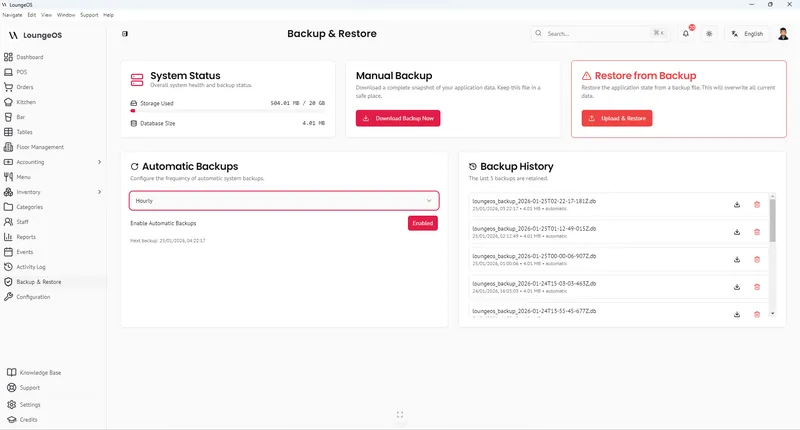
Offline-first means your data is on your premises, not on someone else’s server. LoungeOS makes protecting it simple. You can download an encrypted backup of the entire database at any time, schedule automatic backups, and restore everything on a new computer in minutes if the old one fails. Keep one copy on a USB drive and one in cloud storage.
Frequently asked questions
Can LoungeOS run for weeks without internet?
Yes. Day-to-day operation does not depend on the internet at all, so there is no 24- or 72-hour limit. You only need a connection when you activate or renew your licence.
Do tablets need mobile data to connect?
No. Tablets and phones connect to the host computer through your Wi-Fi router. They can have mobile data switched off.
What happens if the host computer turns off?
Terminals cannot reach the server until it is back on, so protect the host with a UPS. Data saved before the shutdown is kept in the local database. If the hardware fails completely, restore your latest backup on another Windows computer.
Can I see my sales from home?
LoungeOS is designed for on-premises use, and reports are available on the host computer and on any device on your network. Remote viewing from outside the venue depends on your network setup. Contact support to discuss options for your venue.
Run your next service on LoungeOS
Install LoungeOS on a Windows computer, connect your tablets and phones over Wi-Fi, and run real service for 30 days. Free, no credit card.
Explore more
Cloud vs offline POS
Outages, data ownership, cost, security and remote access compared.
Read guide →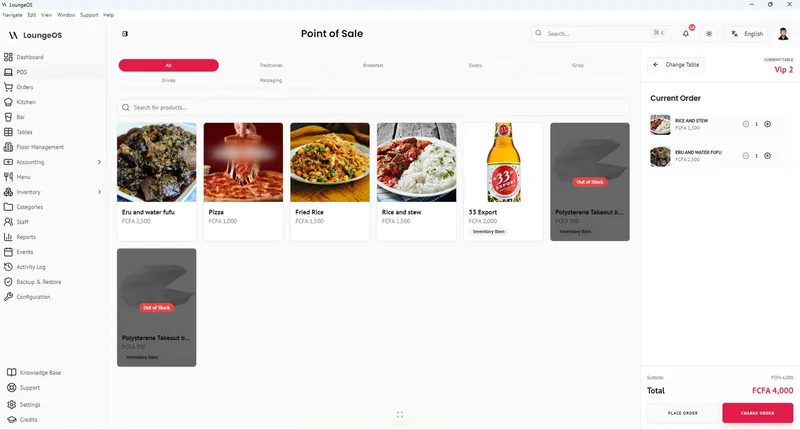
Best offline restaurant POS systems in 2026
LoungeOS, SambaPOS, Toast, Square and Loyverse compared on what keeps working without internet.
Read guide →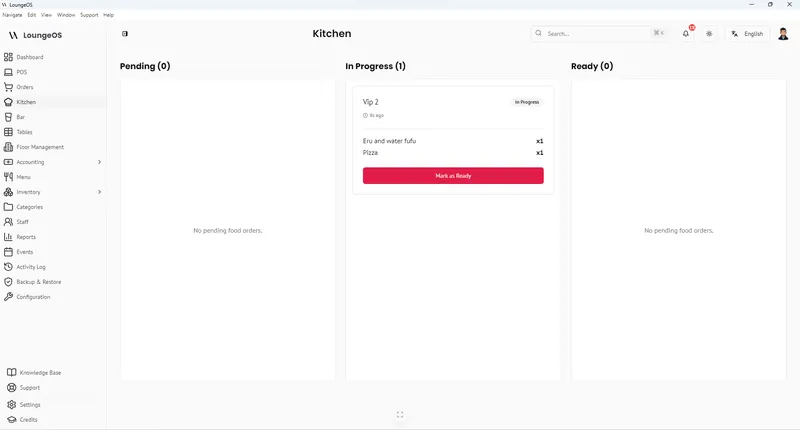
Running a restaurant through power and internet outages
Backup power, POS, payments, kitchen and food safety: the complete checklist.
Read guide →