Kitchen Display System
Kitchen and bar display screens that end lost tickets
Every order splits itself in two. Food goes to the kitchen screen, drinks go to the bar screen, and the waiter hears when it's ready. No handwriting, no running, no lost paper.
30-day free trial · No credit card · Works without internet
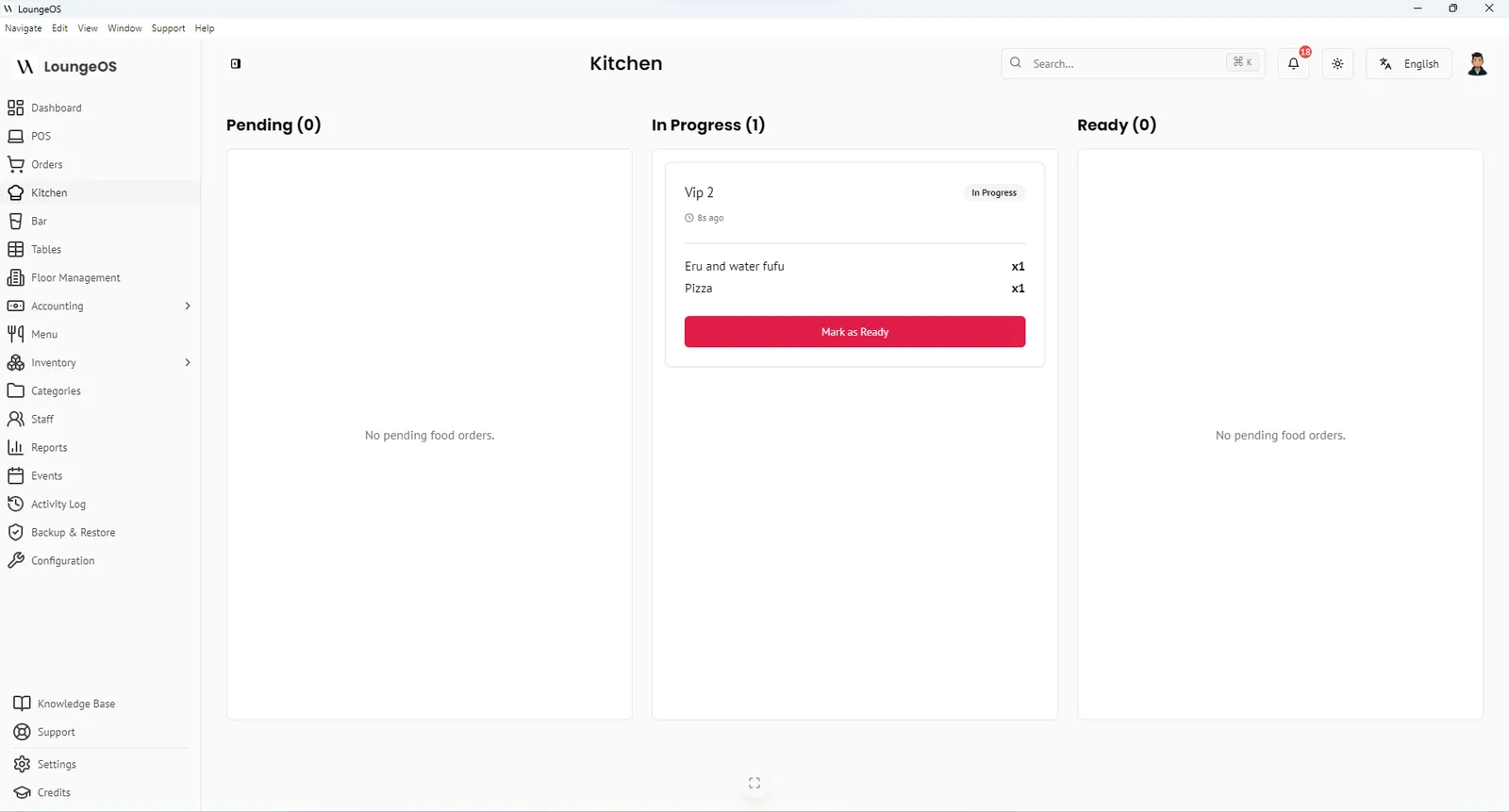
A kitchen display system (KDS) is a screen in the kitchen that shows orders as soon as waiters enter them, replacing printed or handwritten tickets. LoungeOS includes a KDS for food and a separate Bar Display System (BDS) for drinks. Both are included in every plan and both run on your local network without internet.
How orders reach the right screen
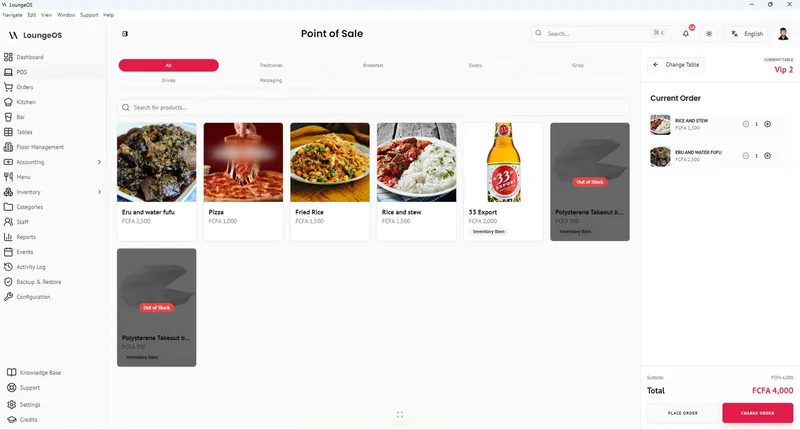
Routing is set once, at the category level. When you create a menu category such as Main dishes, Grills or Desserts, you tick “This is a food category”. Leave it unticked for Beers, Cocktails, Wines or Soft drinks. From then on:
- A waiter places an order for table 7: two grilled fish and three beers.
- The two fish appear on the kitchen screen with any notes (“well done, no pepper”).
- The three beers appear on the bar screen at the same moment.
- Both screens play a sound when the ticket arrives.
There is no re-typing and no walking back and forth between kitchen and bar.
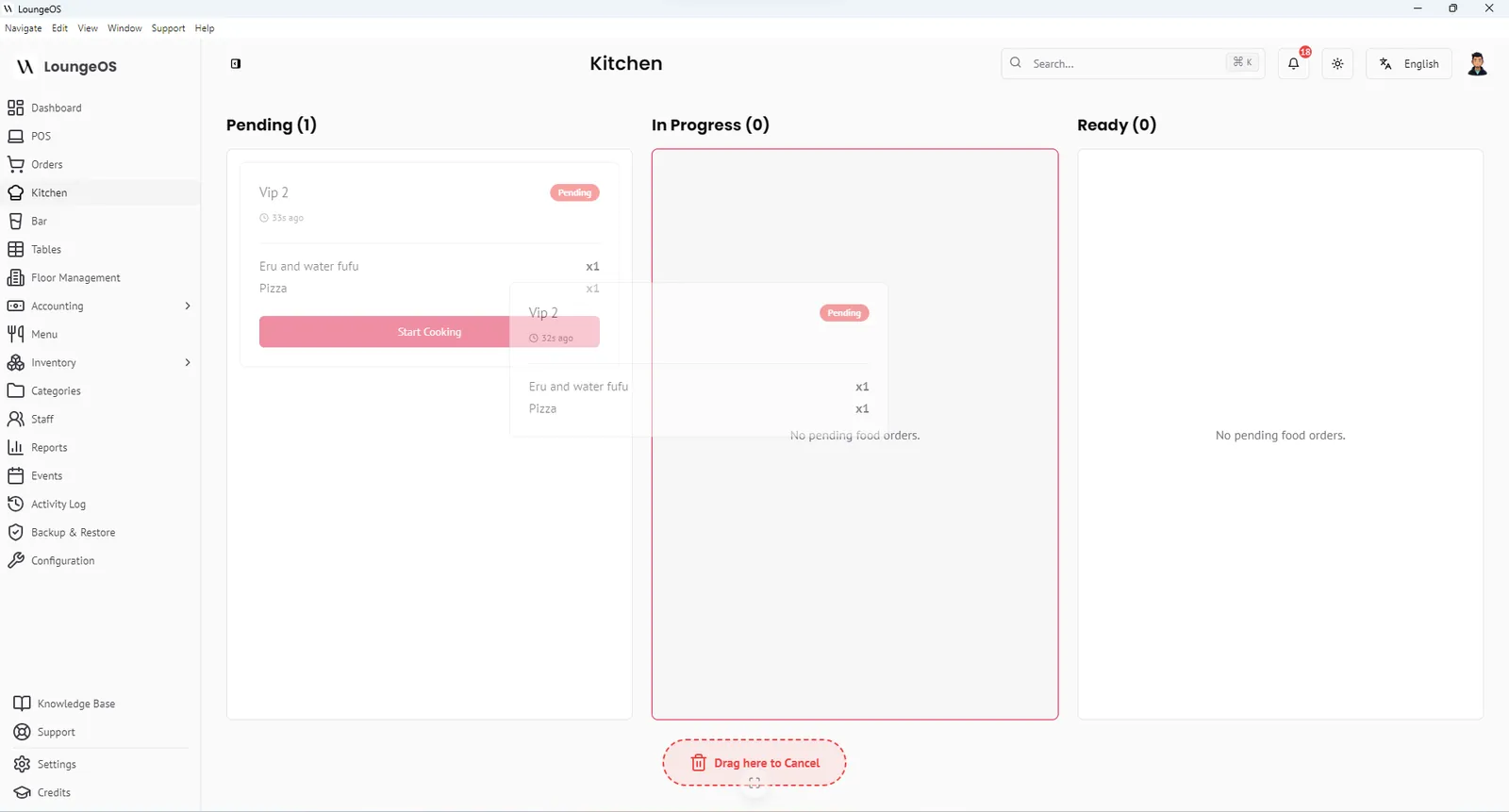
The three columns: Pending, In progress, Ready
- Pending. New tickets, sorted oldest first so nobody’s order is forgotten.
- In progress. The cook drags the ticket here, or taps Start, when preparation begins.
- Ready. When the dish is done the cook taps Mark ready. An audio alert sounds at the waiter and cashier station so the food goes out hot.
Tickets stay in Ready until the bill is paid. Managers can see at a glance where service is getting stuck.
Cancelling from the kitchen, with accountability
Sometimes an order must be cancelled: the customer left, or the item was entered by mistake. On LoungeOS the chef or bartender drags the ticket to the cancel zone at the bottom of the screen and must choose a reason. The cancellation and its reason are written to the activity log. If it was a mistake, a manager can reactivate the order within 24 hours.
This matters for loss prevention. A common way to steal in restaurants is to cancel an item after it was served and keep the cash. When every cancellation has a name, a time and a reason, that pattern becomes visible.
What hardware do you need?
Any screen with a modern web browser works as a kitchen or bar display:
- A cheap Android tablet on a wall mount (the most common setup)
- An old laptop
- A smart TV or monitor with a small PC attached
It only needs to be on the same Wi-Fi network as the LoungeOS host computer. Our POS hardware guide covers mounting, grease and heat in more detail.
Why kitchens switch from paper
| Problem with paper tickets | What the KDS changes |
|---|---|
| Illegible handwriting, wrong dishes | Orders arrive exactly as entered |
| Tickets lost, burnt or stuck on the wrong rail | Tickets cannot be lost, oldest shown first |
| Waiters walk to the kitchen to check | Audio alert when the order is ready |
| No record of cancellations | Every cancellation logged with a reason |
| No idea how long dishes take | Clear Pending → In progress → Ready flow |
Frequently asked questions
Do I need separate screens for the kitchen and the bar?
If you have a separate bar, yes. That is where the BDS earns its keep. Small venues where the same person makes food and drinks can open both views on one screen.
Does the KDS still work if the internet is down?
Yes. The KDS talks to the LoungeOS host computer over your Wi-Fi, not over the internet.
Why don’t drinks show on my kitchen screen?
That is by design. Drink categories should have “This is a food category” unticked, so their items go to the bar display. If a drink appears in the kitchen, check that box on its category.
Can I still print kitchen tickets?
LoungeOS prints customer receipts on thermal printers. Most venues that adopt the KDS stop printing kitchen tickets entirely, which also saves paper.
Run your next service on LoungeOS
Install LoungeOS on a Windows computer, connect your tablets and phones over Wi-Fi, and run real service for 30 days. Free, no credit card.
Explore more
What is a kitchen display system (KDS)?
How a KDS works, its benefits, hardware, routing and setup.
Read guide →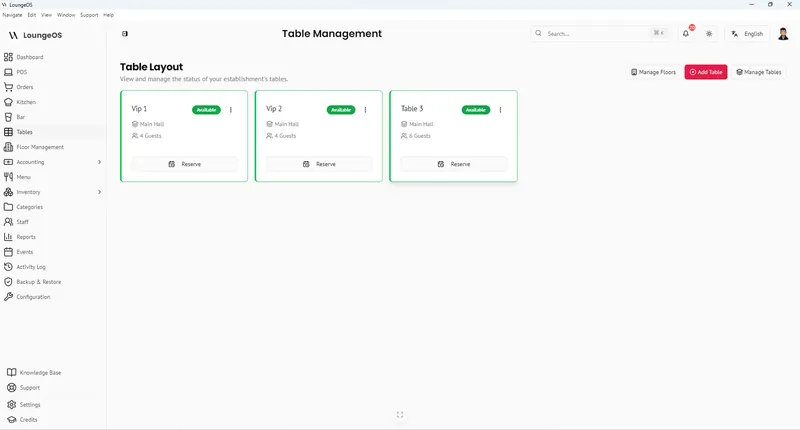
Table & Floor Management
Live table status by colour, floors and VIP areas, waiter sections, split and merge bills.
Learn more →
Restaurant POS
Table ordering, kitchen display, inventory and accounting for sit-down restaurants.
Learn more →