Bar POS
A bar POS that counts every bottle and every franc
Bars lose money in small amounts: a free round, a bottle that breaks and is never recorded, a sale rung up for less. LoungeOS speeds up service at the bar and makes those small losses visible.
30-day free trial · No credit card · Works without internet
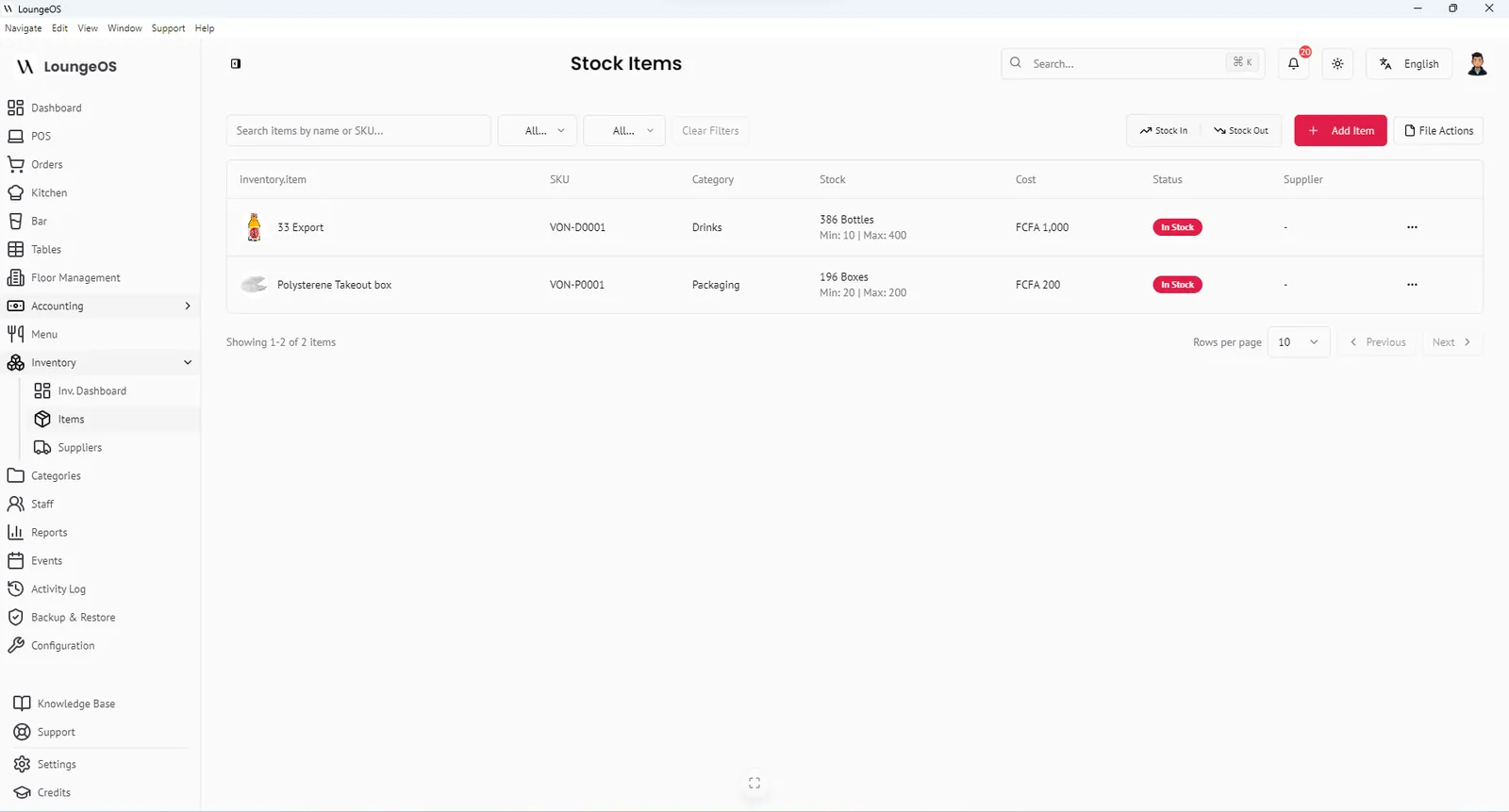
A bar POS system has to be fast during a rush, simple for new staff and strict about stock, because drinks are where most bars make, and lose, their margin. LoungeOS gives waiters a quick ordering screen on their phones and gives bartenders a bar display. Owners get stock tracking down to the bottle, with every loss recorded.
Faster service at the bar
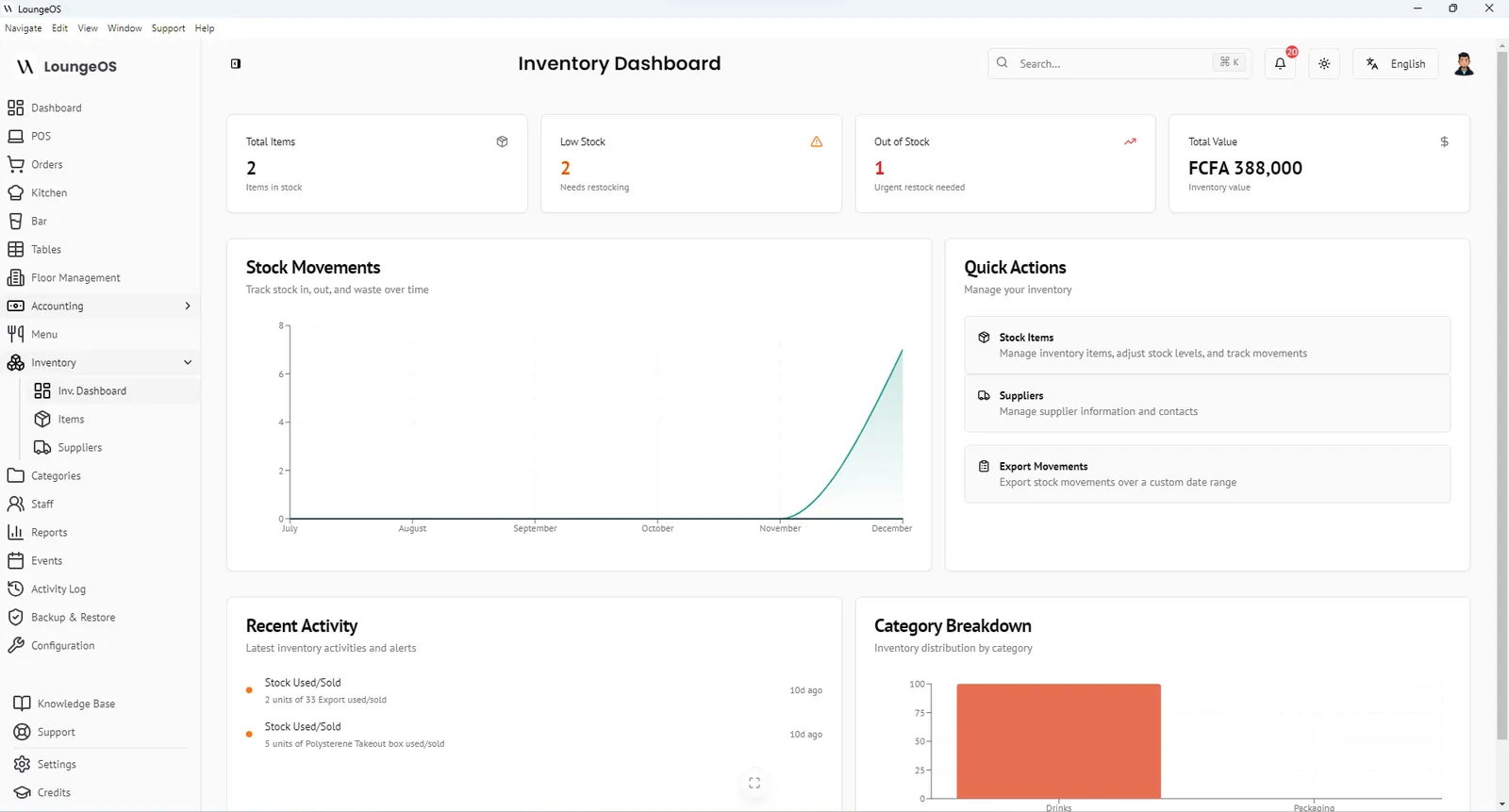
- Drinks go straight to the bar screen. Drink categories (beer, spirits, cocktails, soft drinks) route to the Bar Display System. The bartender sees the table and the drinks, with notes like “no ice” or “cold”, as soon as the waiter taps Place order.
- Ready alerts. When the bartender marks the order ready, the waiter hears an alert.
- Photo tiles and search. New staff find a brand in seconds, even with 80 beers on the menu.
- Variations. Sell by the glass or the bottle, single or double, each at its own price.
Stock control that matches how bars count
Bar stock is counted in bottles, crates and litres, so LoungeOS lets you choose the unit for each item. For each product you set a minimum level that triggers a low-stock alert. That means you reorder before Friday, not during it.
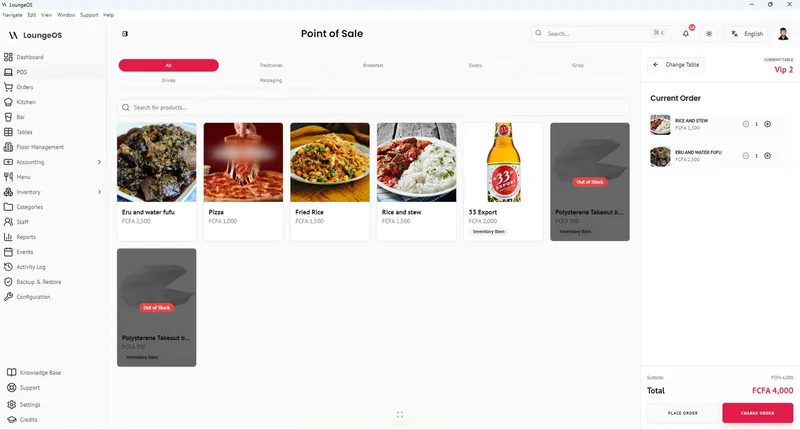
Every bottle that leaves without a sale must be recorded:
- Stock in when the supplier delivers
- Stock out: damage, waste or loss for breakage, spills and missing bottles
- Cost correction when the brewery changes its price
Comparing deliveries, sales and recorded losses each week shows where your shrinkage is. Industry sources suggest bars commonly lose 15–20% of their beverage inventory to over-pouring, waste and theft. Our guide on bar inventory shrinkage and pour cost explains how to measure yours.
Shut down the classic bar scams
| Scam | How LoungeOS blocks it |
|---|---|
| Free drinks for friends | Every drink must be on an order. Unrecorded bottles show as stock gaps |
| Deleting a drink after the customer paid cash | Removing items from a sent order requires a manager |
| “Customer left without paying” | Cancellations need a reason and are logged with name and time |
| Unauthorised happy-hour prices | Only discount rules you configured can be applied |
| Fake mobile money confirmation | The MoMo or Orange Money reference is recorded and checked at closing |
See the full approach in loss prevention.
Payments at the bar
Cash with automatic change, card, MTN MoMo and Orange Money with references, and split payments when a group pays together. When the internet is down, nothing changes, because LoungeOS runs on your local network.
Frequently asked questions
Can I use LoungeOS for a small bar with one bartender?
Yes. A laptop as the host and one phone is enough. The bartender can take orders and see the bar display on the same device.
Can I track beer by the crate and sell by the bottle?
Record deliveries in the unit you count and sell (for example bottles), and use the item description to note crate size. Many bars count stock in bottles for accuracy.
Does LoungeOS support happy hour pricing?
You can create discount rules, such as a percentage off, and apply them during happy hour. Only configured discounts can be applied, and discounts can be switched off entirely.
Will it work during a power cut?
Put the host computer and Wi-Fi router on a small UPS, and phones run on battery, so service continues. No internet is needed.
Run your next service on LoungeOS
Install LoungeOS on a Windows computer, connect your tablets and phones over Wi-Fi, and run real service for 30 days. Free, no credit card.
Explore more
Bar inventory shrinkage and pour cost
Formulas, benchmarks and a weekly count routine to find and stop bar losses.
Read guide →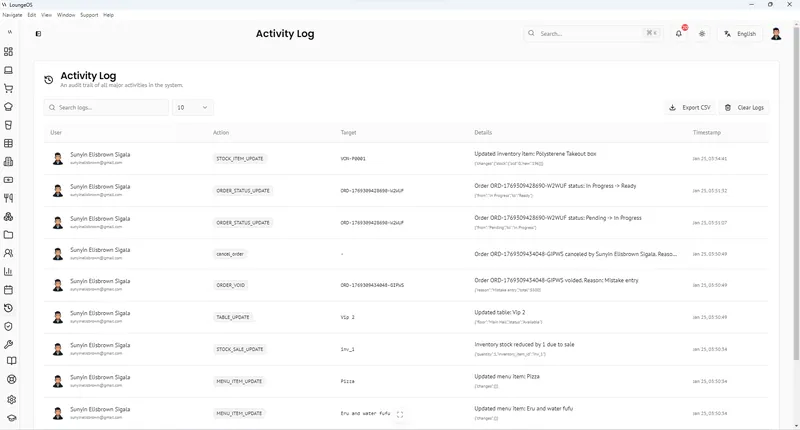
Restaurant employee theft: 12 schemes and fixes
Voids, under-ringing, fake comps, sweethearting and fake mobile money, and how to stop each.
Read guide →
Lounge POS
VIP areas, bottle sales, events and late-night cash control for lounges.
Learn more →