In this guide
Loyverse deserves its popularity. It’s free to start, runs on a phone or tablet, includes a kitchen display app and is easy for staff to learn. Thousands of small cafés, shops and bars around the world run on it.
But many restaurant and bar owners reach a point where they’re paying for add-ons, working around offline gaps and still can’t explain why the stock count is short. This guide helps you decide whether that’s you, and what to look at next.
What Loyverse does well
- Free core POS with sales, receipts, basic inventory and reports
- Runs on phones and tablets you already own
- Kitchen display and customer display apps
- Simple to learn and quick to set up
- Large user community and many integrations
For a single-counter café with one or two staff and stable internet, it’s often the right answer.
Where restaurants and bars start to struggle
1. Paid add-ons add up
Loyverse’s paid features include employee management (access rights, sales by employee, timecards), advanced inventory (purchase orders, stock valuation) and unlimited sales history. Pricing is per employee or per store depending on the add-on, so the bill grows with your team and your outlets. Third-party price trackers report different figures over 2026, so check Loyverse’s pricing page for current amounts before you budget.
The add-ons you need most once you have a team, staff controls and stock valuation, are exactly the paid ones.
2. Offline limits during outages
According to Loyverse’s help centre, the app keeps selling offline, but:
- Refunds are disabled
- Stock levels aren’t shown, and negative-stock alerts don’t work
- New customers can’t be registered or edited
- Integrated card terminals don’t work until the connection returns
- Sales don’t reach the back office until the device syncs, and you can’t sign out with unsynced receipts
If your internet goes down a few times a year, that’s fine. If it drops several times a week, your team works around these limits constantly.
3. Table service and separate stations
Loyverse is built around tickets and counters. Restaurants and lounges with many tables, several waiters, separate floors and a separate bar and kitchen often want waiter sections, table status at a glance, automatic food/drink routing and manager-only bill splitting.
4. Accountability
When cash or stock doesn’t add up, you need to know who cancelled, discounted or removed what, when, and why. That requires mandatory reasons, manager approvals and a complete activity log.
Are you ready to switch? A quick checklist
Tick each that applies:
- ☐ You have more than three staff on a shift
- ☐ You have table service with several waiters
- ☐ Food and drinks are prepared in different places
- ☐ Internet outages happen weekly or more
- ☐ You pay for, or need, employee management and advanced inventory
- ☐ Your cash or stock has gaps you can’t explain
- ☐ You want a P&L without rebuilding it in a spreadsheet
Three or more ticks? It’s worth trialling an alternative.
The alternatives, by type
| Option | Type | Why consider it | Watch out for |
|---|---|---|---|
| LoungeOS | Offline-first venue system | Full functionality offline, unlimited devices, 8 staff roles, activity log, bar/kitchen displays, accounting, mobile money recording | Windows host required (macOS in development); no built-in card processing or delivery integrations |
| SambaPOS | Local Windows system | Deep customisation, works on a local network | Technical setup, usually through a reseller |
| Square for Restaurants | Cloud suite | Integrated card payments, online ordering in supported countries | Card payments offline limited to 24 h sessions and 72 h upload; per-location fees |
| Toast | Cloud suite with local hub | Strong restaurant features in its markets | Hardware ecosystem; limited availability outside its markets; offline restrictions on closing checks |
Why many bars and lounges move to LoungeOS
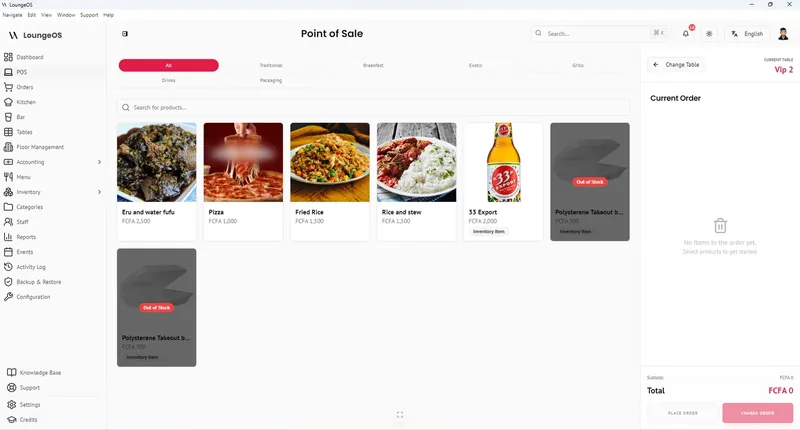
LoungeOS was designed for the situations where Loyverse users usually struggle:
- Outages don’t matter. It runs on a Windows computer and your Wi-Fi, so refunds, stock levels and reports all work offline. See offline POS.
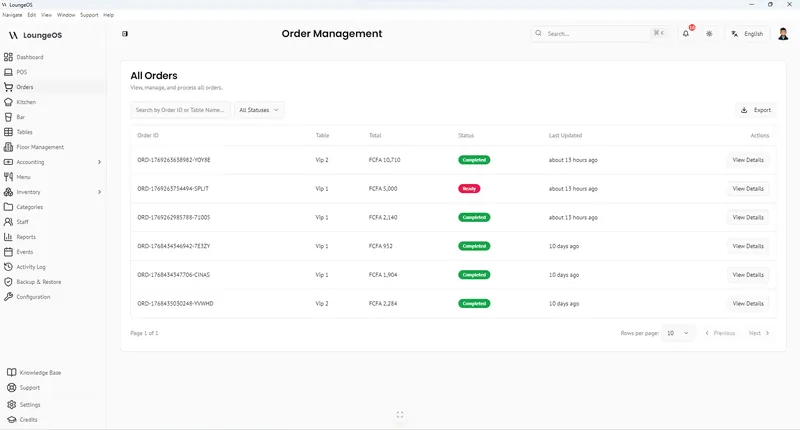
- Staff control is included. Eight roles, manager-only item removal and bill splitting, mandatory cancellation reasons and an activity log. These aren’t add-ons. See loss prevention.
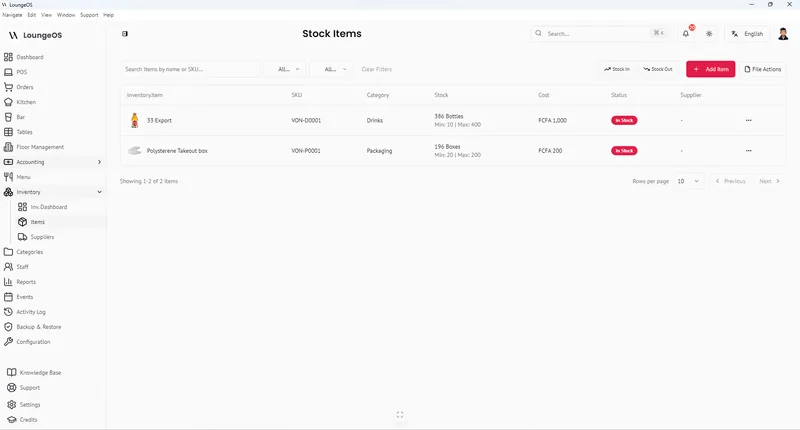
- Inventory valuation is included. Total stock value, low-stock alerts, suppliers, and damage, waste and loss recorded with names. See inventory.
- Unlimited devices on a flat price. From 20,000 FCFA or US$39 a month on a yearly plan. See pricing.
How to switch without disrupting service
- Export your items and stock from Loyverse as a spreadsheet.
- Import stock into LoungeOS with the CSV template, then create menu categories (food vs drink) and menu items.
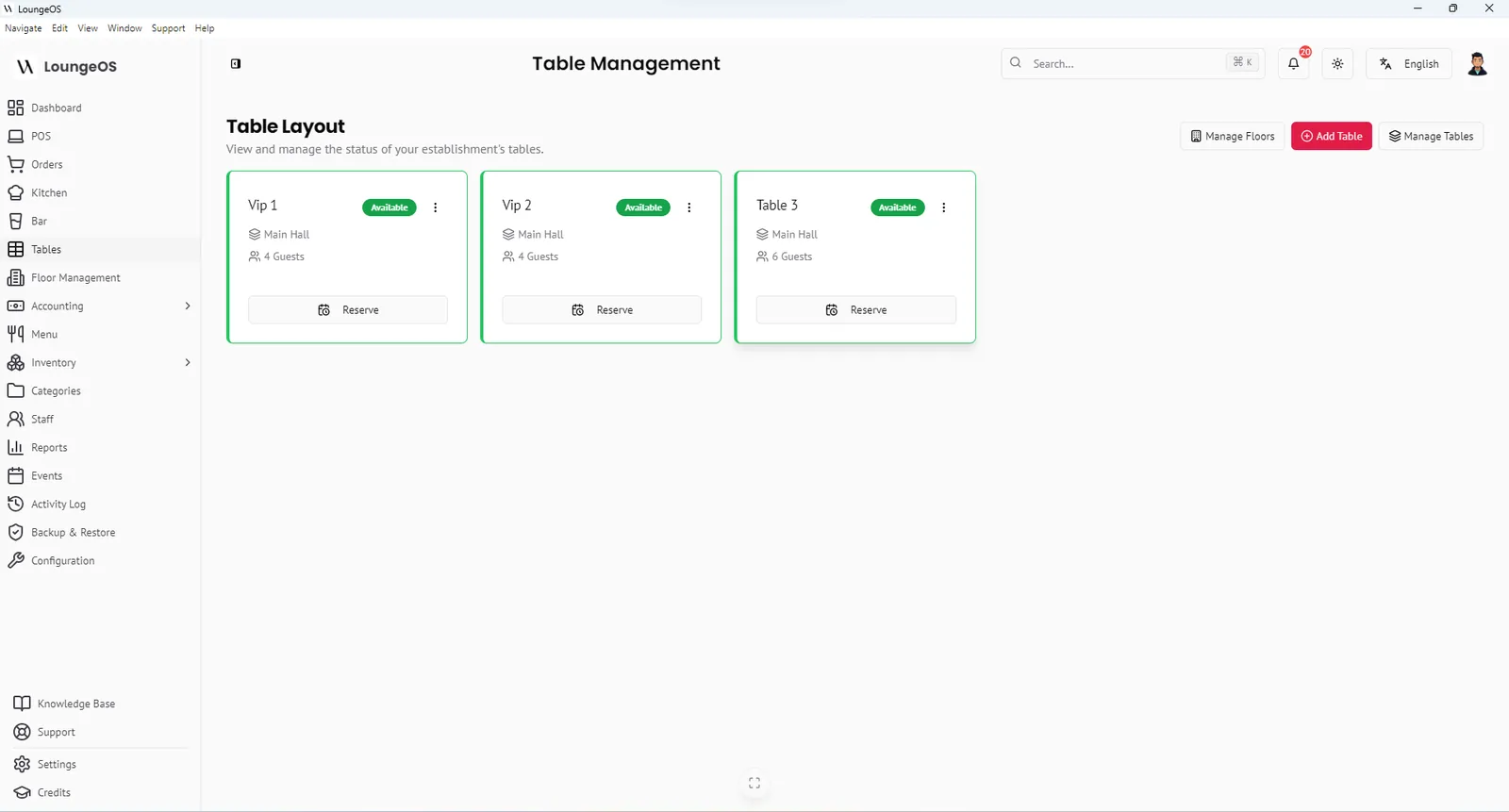
- Set up floors, tables and staff with their roles.
- Run both systems in parallel for two or three quiet services while staff learn.
- Switch on a Monday or Tuesday, not a Friday.
- Do a full stock count on switch day so your new system starts from reality.
Run your next service on LoungeOS
Install LoungeOS on a Windows computer, connect your tablets and phones over Wi-Fi, and run real service for 30 days. Free, no credit card.
Frequently asked questions
Is Loyverse really free?
The core POS is free. Employee management, advanced inventory and unlimited sales history are paid add-ons charged per employee or per store. Check Loyverse’s pricing page for current prices.
Does Loyverse work offline?
Partly. Sales continue on the device, but refunds are disabled, stock levels aren’t shown and integrated card terminals stop working until the device reconnects, according to Loyverse’s help centre.
What’s the best Loyverse alternative for a bar?
For bars with several staff, frequent outages or unexplained stock losses, an offline-first system with bottle-level inventory, a bar display and strict cancellation controls, such as LoungeOS, is a strong fit.
Can I import my Loyverse items into LoungeOS?
Yes. Export your items from Loyverse to a spreadsheet, then use LoungeOS’s CSV import template for stock items. Menu items with photos are quick to add in the menu screen.