On this page
The dashboard
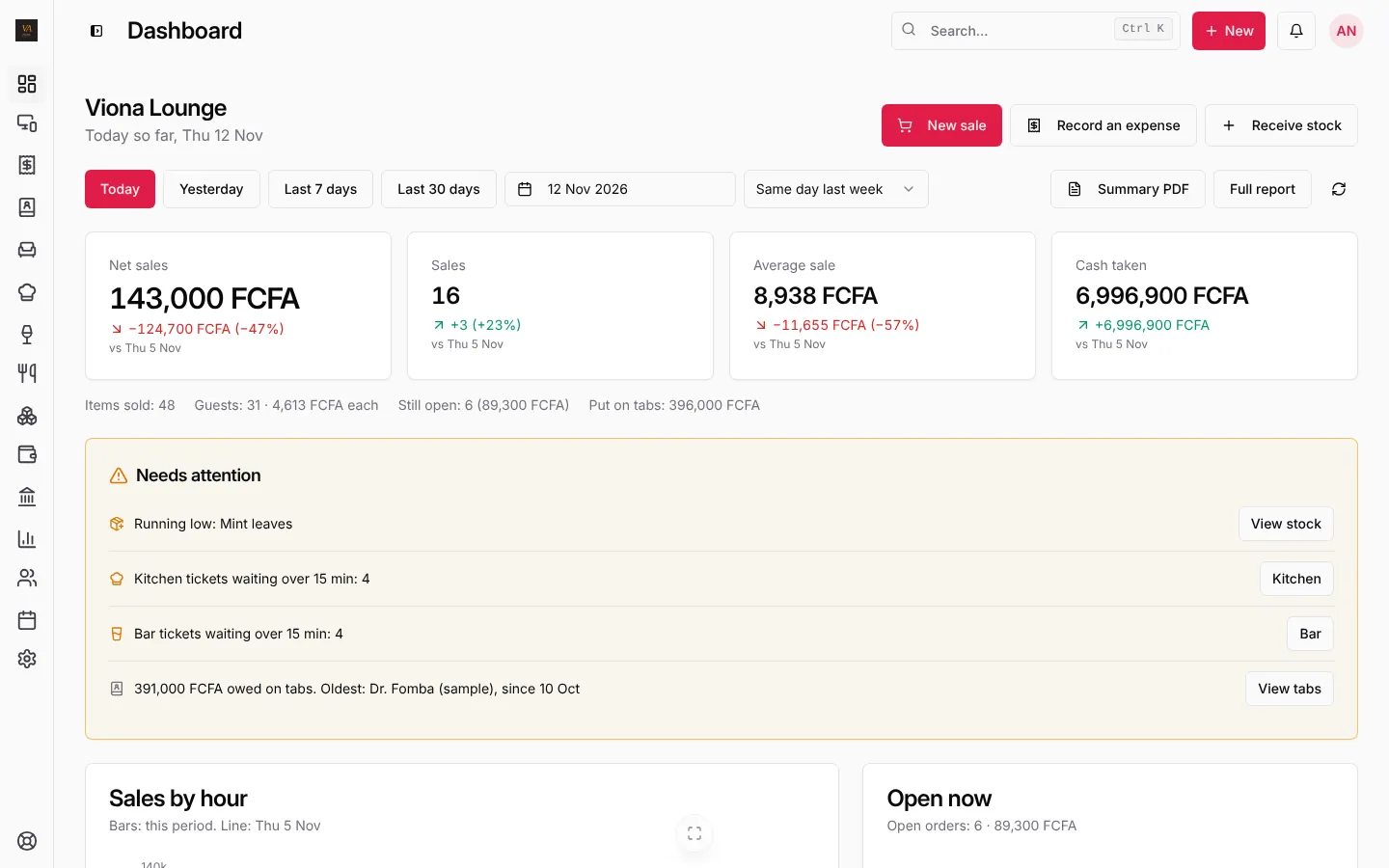
Open Dashboard. Pick the period at the top: Today, Yesterday, Last 7 days, Last 30 days or your own dates, and what to compare with (the same day last week, the period before, the same dates last month or last year).
The four figures at the top:
- Net sales and the change against the comparison
- Sales: how many sales
- Average sale
- Cash taken
Under them: items sold, guests and spend per guest, what is still open and what was put on tabs.
Needs attention
The amber box lists what needs someone now, each with a button:
- out of stock and running low (Restock, View stock),
- tables open too long,
- kitchen and bar tickets waiting over 15 minutes (Kitchen, Bar),
- refunds and cancelled orders,
- what is owed on tabs and the oldest debt (View tabs).
Further down
Sales by hour (or by day over a week) against the comparison, the orders open right now, money by payment method, best and slow sellers, sales by staff and the latest sales.
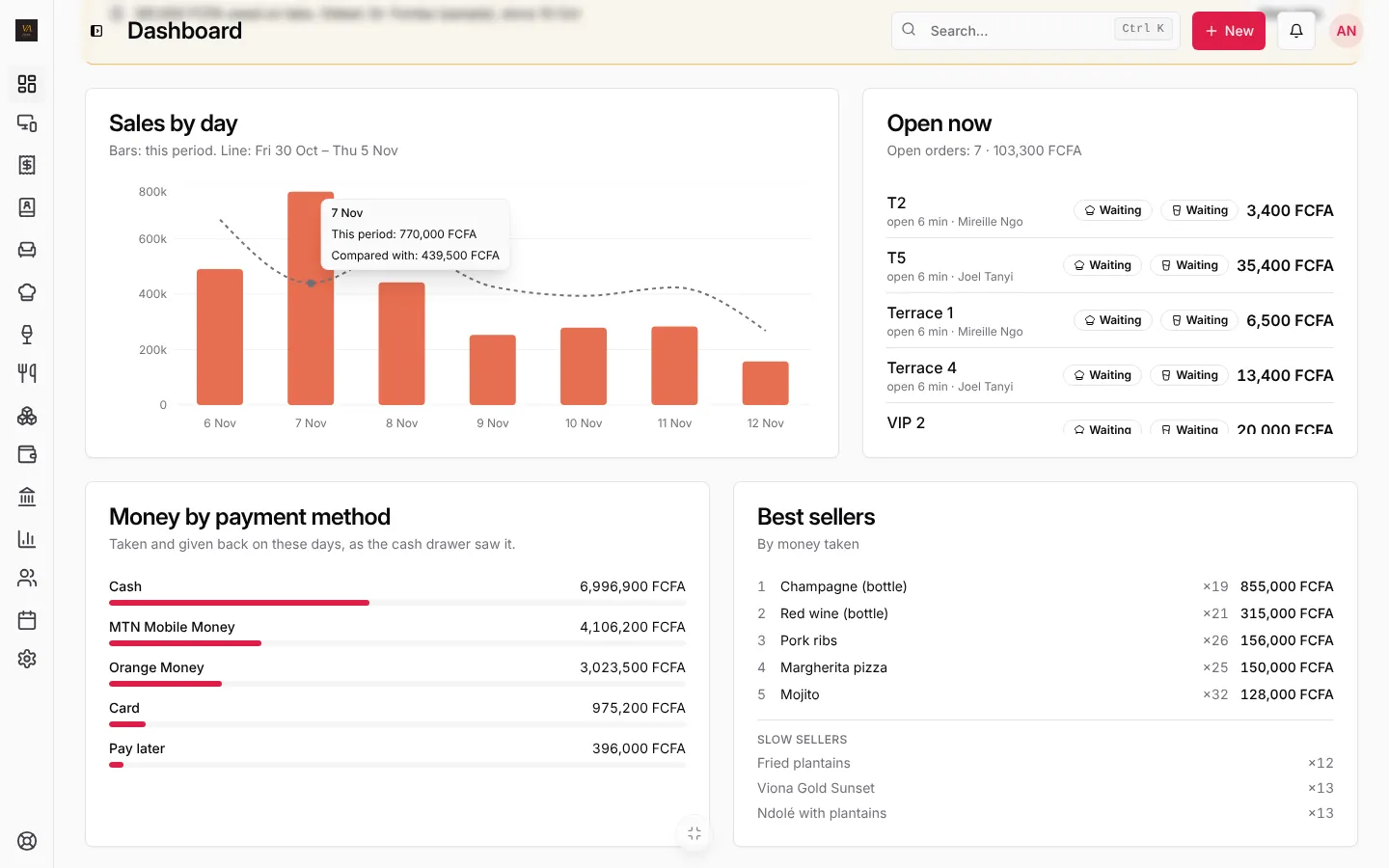
Summary PDF downloads the day’s summary. Full report opens the sales report for the same dates.
The daily sales report
Open Reports. A day runs until your business day ends (04:00 by default), so late sales stay on their evening.
You get net sales, average sale, refunds, cancelled, still open, discounts, per guest and owed on tabs; sales by hour; Money by payment method (taken, given back, net); and the detail by product, category and staff.
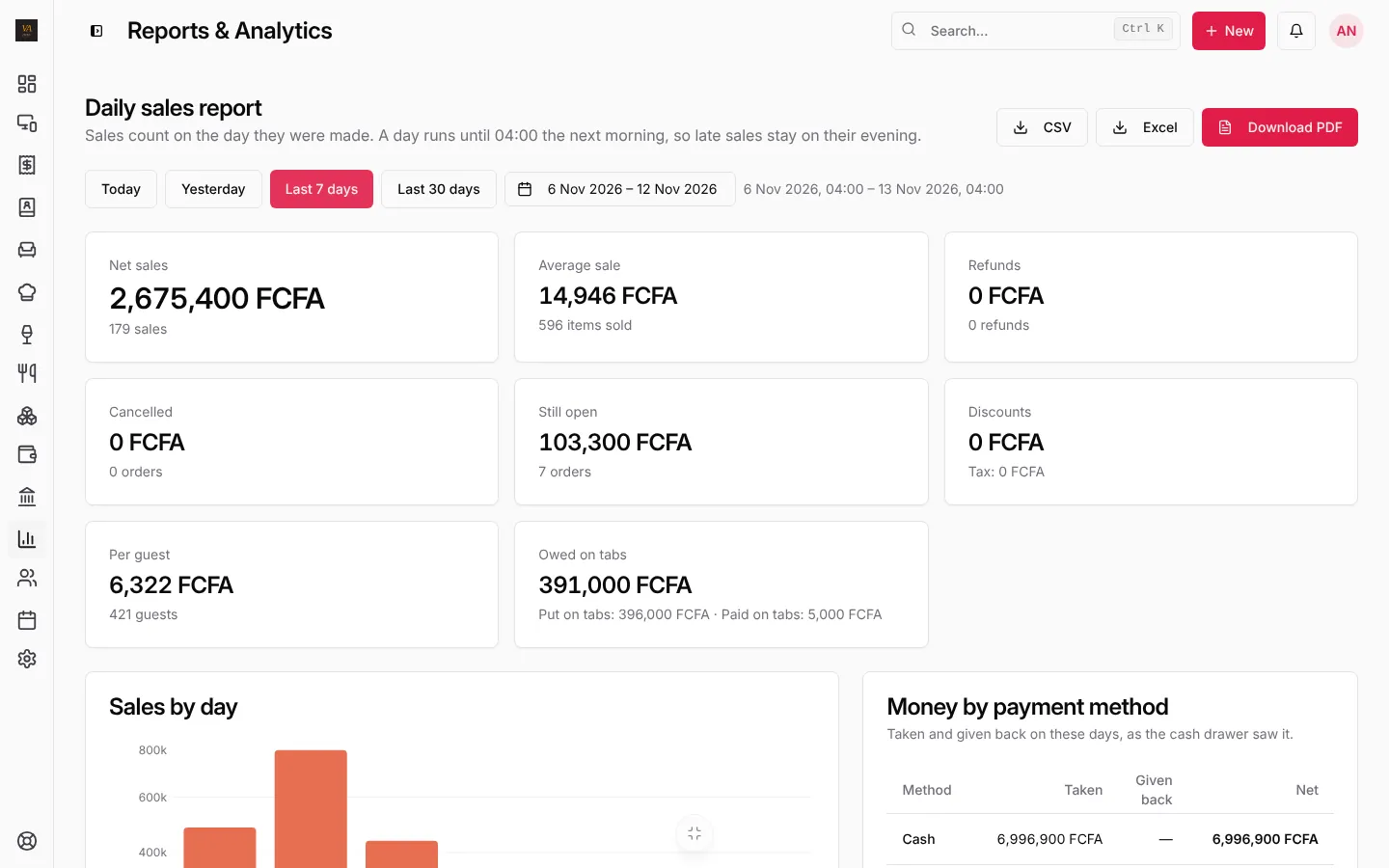
Download it with Download PDF, Excel or CSV, in English or French.
Reports over more than one day (weekly and monthly) come with the Business and Pro plans. On Starter a single day works, and longer periods show what to upgrade.
Frequently asked questions
Why do sales after midnight count for yesterday?
Because your business day ends at 04:00. Change it in Business settings if you close earlier or later.
Can I see all my branches together?
Yes, on the Pro plan: Branches shows today’s sales of every branch and the total. See Branches.
Stuck on a step? Write to support@loungeos.app or WhatsApp +237 679 690 703 and say which page you are on.