In this guide
- What matters in Cameroon
- The shortlist at a glance
- 1. LoungeOS: built for Cameroonian venues
- 2. Loyverse: the free start
- 3. Odoo POS: when you want a full ERP
- 4. SambaPOS: local and customisable
- 5. A cash register and a notebook
- What about Square, Toast and others?
- How to choose in one evening
- Frequently asked questions
Most “best POS” lists are written for the United States or Europe. They rank systems on card processing, delivery apps and payroll integrations. In Cameroon, the questions are different, and a wrong choice shows up on the first busy night with a power cut.
Disclosure: we make LoungeOS, in Cameroon. We include the other systems Cameroonian owners ask us about, with their strengths, and link to their own documentation so you can check.
What matters in Cameroon
- Internet and power cuts. Does the till keep taking orders, sending them to the kitchen, taking payments and printing receipts with no internet? For how long?
- Mobile money. Can you record MTN Mobile Money and Orange Money as separate methods, with the transaction reference, and pay one bill with two methods?
- Paying for it. Is the price in FCFA, payable by MoMo or OM, or only by international card in dollars or euros?
- French and English. For the screens, receipts and reports, not only the website.
- Staff control. Cancellations, discounts and refunds approved by a manager, with a log. In bars this is where the money goes.
- Support you can reach. A WhatsApp number in Cameroon beats a ticket form in another time zone.
- Hardware you already have. A laptop, Android phones, a 58 or 80 mm thermal printer.
The shortlist at a glance
| Works through cuts | MoMo / OM | Pay in FCFA | French | Best for | |
|---|---|---|---|---|---|
| LoungeOS | Yes, Windows and Mac tills, up to 7 days | Built in, with references | Yes, by MoMo, OM or card | Yes | Bars, lounges, restaurants, shops |
| Loyverse | Partly: sales continue, refunds and stock levels stop | As custom payment types | Add-ons billed in US$ by card | Yes | One counter, stable internet |
| Odoo POS | Partly: POS session works offline, back office needs the server | Through partner modules | Through local partners | Yes | Businesses that want a full ERP |
| SambaPOS | Yes, local Windows server | As custom payment types | Through resellers | Yes | Venues with IT support |
| Cash register + notebook | Yes | By hand | One-off purchase | n/a | Very small kiosks |
1. LoungeOS: built for Cameroonian venues
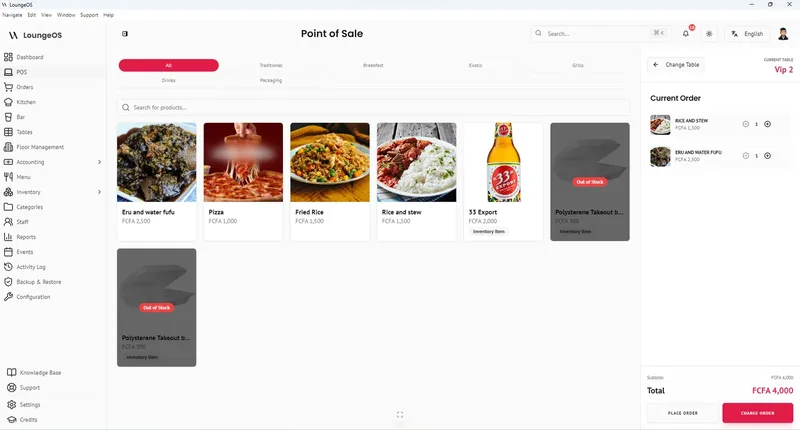
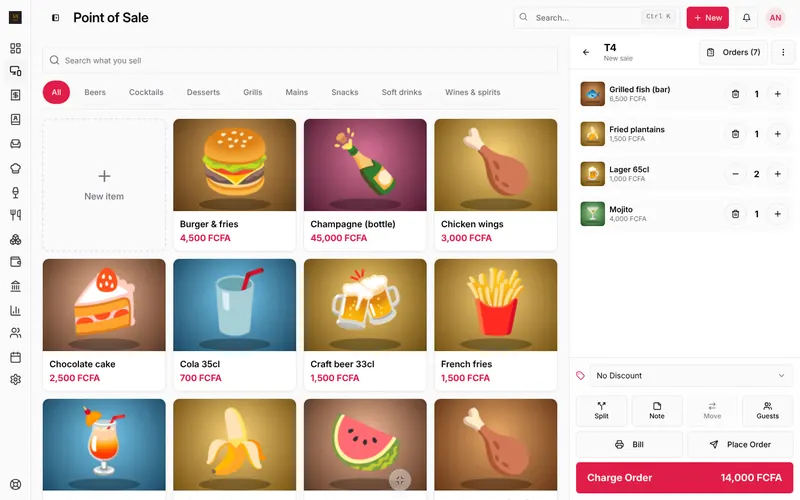
LoungeOS is point of sale and management software developed in Cameroon by Sigalix. It runs in the web app, on Windows and Mac tills that keep selling without internet, and on Android phones.
- Through cuts: the Windows and Mac tills keep every function (orders, kitchen and bar screens, payments, refunds, customer tabs, stock) and sync when the connection is back. Staff phones can keep ordering over the venue’s Wi-Fi.
- Money: Cash, MTN Mobile Money, Orange Money and card ready, each able to require the transaction reference; two methods on one bill; customer tabs for credit.
- Control: manager PIN for cancellations, refunds and price changes, and an activity log.
- Price: 6,000, 15,000 or 30,000 FCFA a month, 14-day free trial, paid by mobile money or card. Support on WhatsApp at +237 679 690 703.
- Also: QR table ordering, branches, accounting, and an Android app with notifications.
Limits: no iPhone app yet (iPhone uses the web app), no integrated card processing, and no weighed items for supermarkets yet.
2. Loyverse: the free start
Loyverse is a popular free POS that runs on phones and tablets, with a kitchen display app and a loyalty program. Its core is free; employee management, advanced inventory and unlimited history are paid add-ons per store, in US dollars.
Offline, the app keeps selling, but its help centre says refunds are disabled and stock levels are hidden until it reconnects.
Best for: a café, kiosk or small shop with one counter and stable internet. Comparing it with LoungeOS in detail: LoungeOS vs Loyverse.
3. Odoo POS: when you want a full ERP
Odoo is an open-source business suite with a Point of Sale app among dozens of others (accounting, inventory, HR, e-commerce). Several integrators in Cameroon set it up, and partner modules add mobile money. Pricing depends on the edition, the number of users, hosting and the integrator’s work; see odoo.com/pricing and ask for a full quote.
Best for: larger businesses that want one system for everything and have a partner to configure and maintain it. If you mostly need a fast till for a bar or restaurant, see Odoo POS alternatives.
4. SambaPOS: local and customisable
SambaPOS is a long-standing Windows restaurant POS that keeps its database on a local server, so it works without internet. It is very flexible, and most venues rely on a reseller to configure it. Phones usually connect through Windows tablets or remote desktop rather than a browser.
Best for: venues with technical support that want detailed custom workflows.
5. A cash register and a notebook
Still the most common setup in small kiosks. It costs little and never needs internet. It also tells you nothing about which waiter cancelled what, which bottles went missing or who owes you money. When stock or cash gaps start to cost more than a subscription, it is time to move.
What about Square, Toast and others?
They are popular abroad and often appear in international rankings, but they are built around their own card processing and are not offered in Cameroon. If a list recommends them for Douala or Yaoundé, it was not written for Cameroon.
How to choose in one evening
- Write down how many tables, staff, tills and phones you have, and how often the internet cuts.
- Shortlist two systems and start their free trials.
- Run the “unplug test”: take a few orders, then switch off the internet and keep going for 20 minutes. Try a refund, a split bill, a MoMo payment with reference and a kitchen ticket.
- Check what the bill will be in FCFA after a year, with every add-on you need.
More detail in how to choose a restaurant POS system.
Frequently asked questions
What is the best POS software in Cameroon for a bar?
For a bar with several staff, a separate bar and kitchen and frequent cuts, LoungeOS. For a small bar with one counter and stable internet, Loyverse’s free plan can be enough.
Can I pay for POS software with mobile money in Cameroon?
Yes, LoungeOS is paid in FCFA by MTN Mobile Money, Orange Money or card. Many international systems only take cards in US dollars or euros.
Which POS works without internet in Cameroon?
Systems that keep the business on a computer in your venue: LoungeOS on Windows or Mac, and SambaPOS. Cloud apps keep limited functions during cuts.
Is there POS software made in Cameroon?
Yes. LoungeOS is developed in Cameroon, with support in French and English. See LoungeOS in Cameroon.
Run your next service on LoungeOS
Create your account, answer the setup wizard and your business is ready on day one. Try it free for 14 days with Business features. No payment up front.