Multi-Branch
Several branches, one account: open the next location in a minute
Copy your menu, tables, settings and team into a new branch, switch between branches from the side menu, and see today's sales of every location on one page.
14-day free trial · No payment up front · Sells offline on Windows and Mac
Need help installing or setting up LoungeOS for your business? Message or call us on WhatsApp +237 679 690 703 (call)

When a business does well, the owner opens a second location: another lounge across town, a second shop in the market, a snack bar next to the main restaurant. From that day, the hard part is no longer selling. It is knowing what happens in the branch you are not standing in.
LoungeOS branches give each location its own sales, stock, staff and tills, under one owner account. Branches come with the Pro plan.
Open a branch with a copy of what works
You don’t rebuild the menu. In Business settings, Branches, press Add a branch, type its name and city, and tick what the new branch starts with:
- Menu and stock items, with prices (quantities start at zero),
- Floors and tables,
- Settings: receipts, payment methods, taxes, currency and logo,
- Team, with the same PINs and roles.
Press Open the branch and you are working in it. Sales, stock levels and tills start empty, so the new location’s numbers are its own from the first sale.
See every branch side by side
The Branches page shows each branch with its city, your role there and today’s sales, with All branches today at the top. One look tells you whether the new branch is ramping up and which location had a quiet night.
Switch in one tap
The business menu at the bottom of the side menu lists your branches. Pick one and everything you see changes with it: dashboard, till, stock, reports and accounts. Managers who work in two locations get the same menu for the branches they belong to.
Each branch keeps its own stock and tills
Stock is counted per branch: a delivery in one location does not change another’s count, so shrinkage in one place can’t hide behind the other. Each till runs one branch: when you sign a new till in, you pick the branch it sells for. Offline selling and sync work per branch as they do for a single business.
Staff and control
- Each branch has its own team. A manager can belong to several branches.
- Cancellations, refunds and price changes need a manager’s approval in every branch, and the activity log is kept per branch.
- Only the owner can open or close a branch. Closing one stops its tills from syncing but erases nothing.
Built for growing businesses in Africa
Most multi-location software is priced per location, per terminal and per module. LoungeOS Pro is one monthly price in FCFA with unlimited users, up to 10 devices and branches included, paid by mobile money or card. See pricing.
Frequently asked questions
Do branches share stock?
No. Each branch has its own stock levels. The menu and prices can start as a copy and then change per branch.
What happens to my branches if I leave the Pro plan?
The oldest branch stays open and the newer ones become read-only: you can look at their data, but nothing new is recorded until you upgrade again or close them. Nothing is deleted.
Is there a step-by-step guide?
Yes: Open and manage branches in the help centre.
Run your next service on LoungeOS
Create your account, answer the setup wizard and your business is ready on day one. Try it free for 14 days with Business features. No payment up front.
Explore more
Open and manage branches
Open a branch with a copy of your setup, switch, compare sales, close.
Learn more →
Managing several branches
What to standardise, what to watch daily, and how to set it up.
Read guide →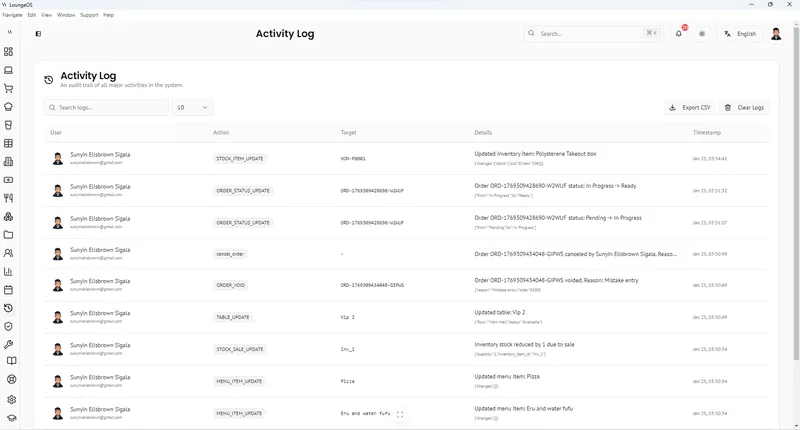
Loss Prevention & Audit Log
Staff roles and permissions, manager-only edits, cancellation reasons and a searchable activity log.
Learn more →