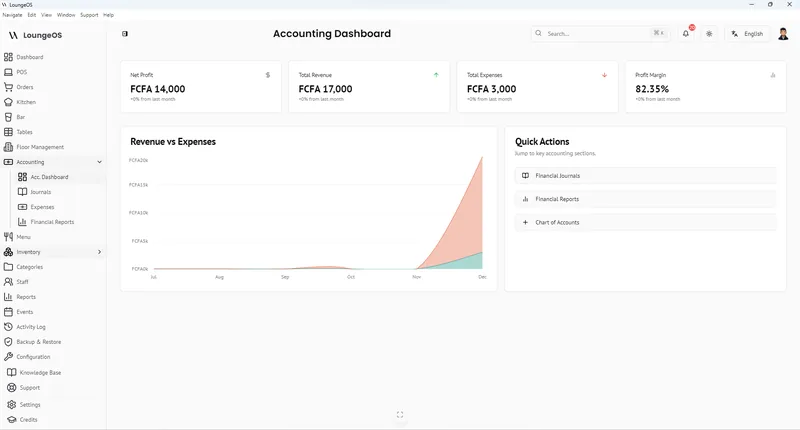
Expenses come with the Business and Pro plans (and the free trial). The Accountant role can record them.
Record an expense
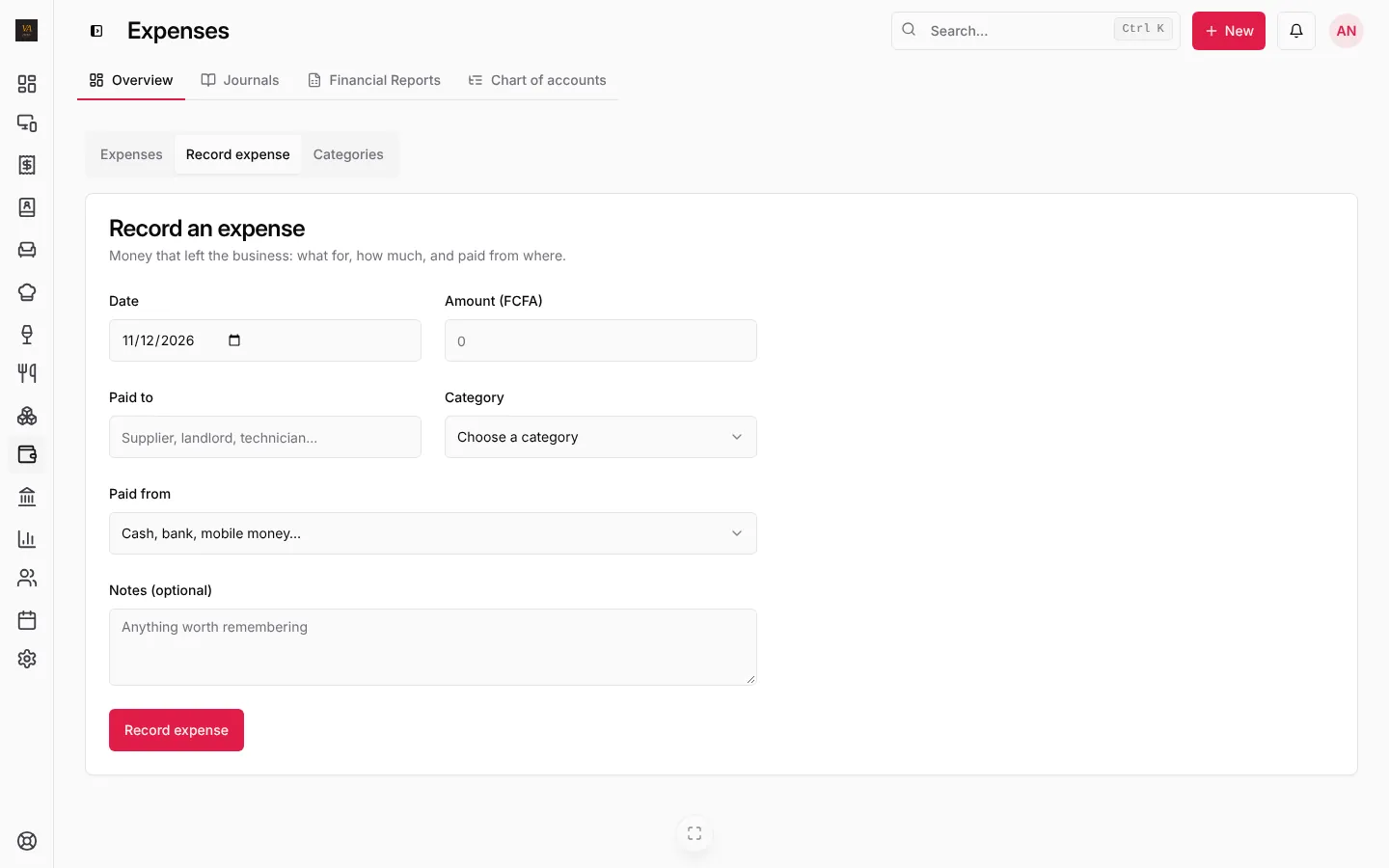
- Press + New, then Record expense. Or open Accounting, Expenses, then the Record expense tab.
- Date it was paid and Amount.
- Paid to: the supplier, landlord, technician…
- Category: Rent, Utilities, Generator fuel, Repairs and maintenance, Internet and phone, Marketing, Bank and mobile money fees… Or press New category.
- Paid from: cash, bank or mobile money. This keeps your cash and MoMo balances right in the accounts.
- Notes (optional), then Record expense.
See your expenses
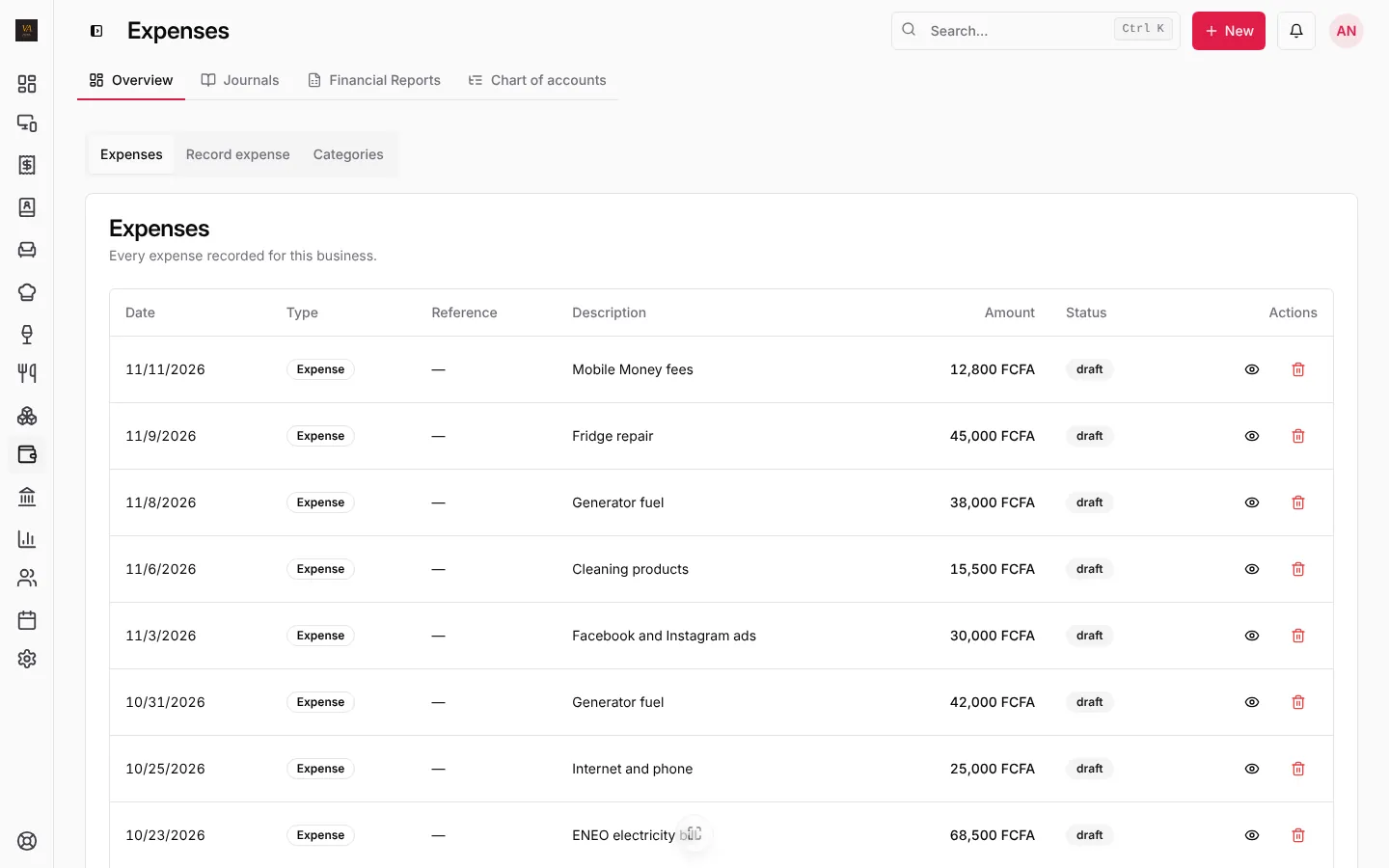
The Expenses tab lists every expense with its date, description, amount and status. The dashboard shows expenses for the period you pick, and the accounting overview takes them off revenue for profit and margin.
Your own categories
The Categories tab lists the common categories, ready to use. Add your own (Generator fuel, Laundry), rename them, or archive the ones you don’t need. Categories used by automatic entries are marked and stay.
Frequently asked questions
Should I record stock purchases as expenses?
No. Record deliveries in Stock (Receive stock): their cost becomes the cost of what you sell when it is sold. Expenses are for everything else.
Can I attach the receipt photo?
Use the reference and notes fields for the receipt number. Keep the paper receipts with the date written on them for your accountant.
Stuck on a step? Write to support@loungeos.app or WhatsApp +237 679 690 703 and say which page you are on.