On this page
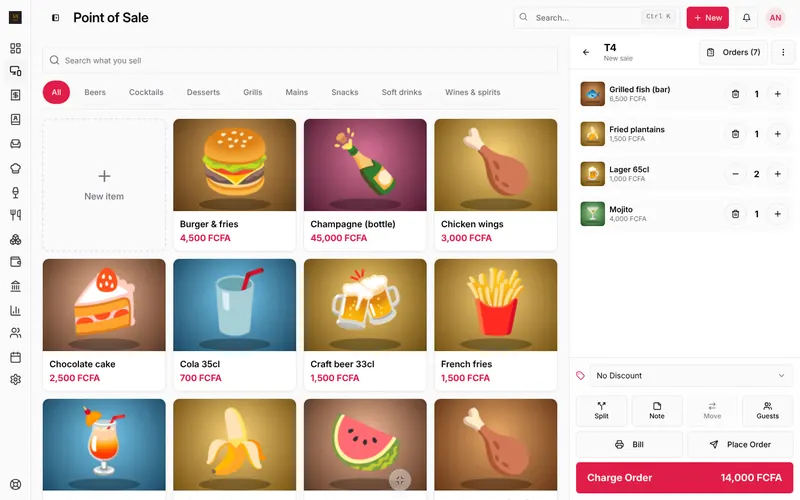
Under the order on the till you have Split, Note, Move and Guests. More actions sit behind the ⋮ button at the top of the order.
Split the bill
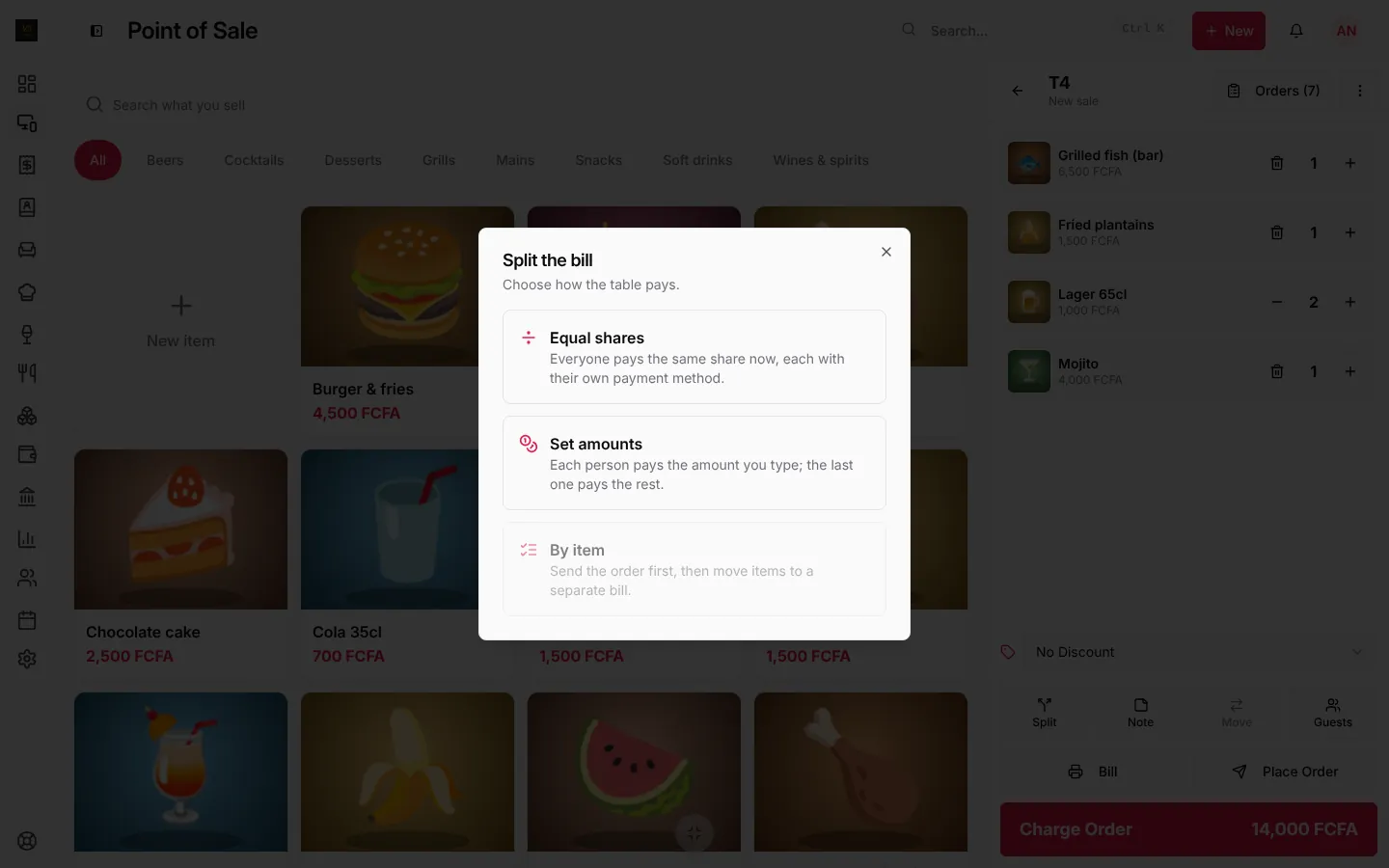
Press Split and choose how the table pays:
- Equal shares: everyone pays the same share now, each with their own payment method. Choose the number of people, then take each payment.
- Set amounts: each person pays the amount you type; the last one pays the rest.
- By item: move some items to a separate bill that is paid on its own. Send the order first, then move items. The table then has two bills, shown as Bill 1 and Bill 2 above the order.
Two payment methods
One person paying part cash, part mobile money? That is not a split: press Charge Order, then Two methods, and enter the first amount and method; the rest goes on the second.
Move an order to another table
Press Move and pick the new table. The order, its items and its status move; the old table becomes free. Kitchen and bar keep working on it without interruption.
To join two bills into one, use ⋮, Merge Order.
Notes for the kitchen and bar
Press Note:
- For the whole order: “birthday, serve the starters together”.
- For one item: tap the item’s line and add “no pepper” or “well done”.
Notes show on the kitchen and bar screens and print on their tickets when you send the order.
Guests
Press Guests and set how many people are at the table. It shows on the kitchen ticket, and reports give the average spent per guest.
Frequently asked questions
Can I split after the bill is printed?
Yes. The bill is only a printout; the order stays open until it is paid.
Is moving or splitting logged?
Moves, cancellations and price changes are written in the activity log with who did them.
Stuck on a step? Write to support@loungeos.app or WhatsApp +237 679 690 703 and say which page you are on.