On this page
Ordering from the table comes with the Business and Pro plans (and the free trial). It needs Tables switched on, and the till needs the internet to receive guest orders.
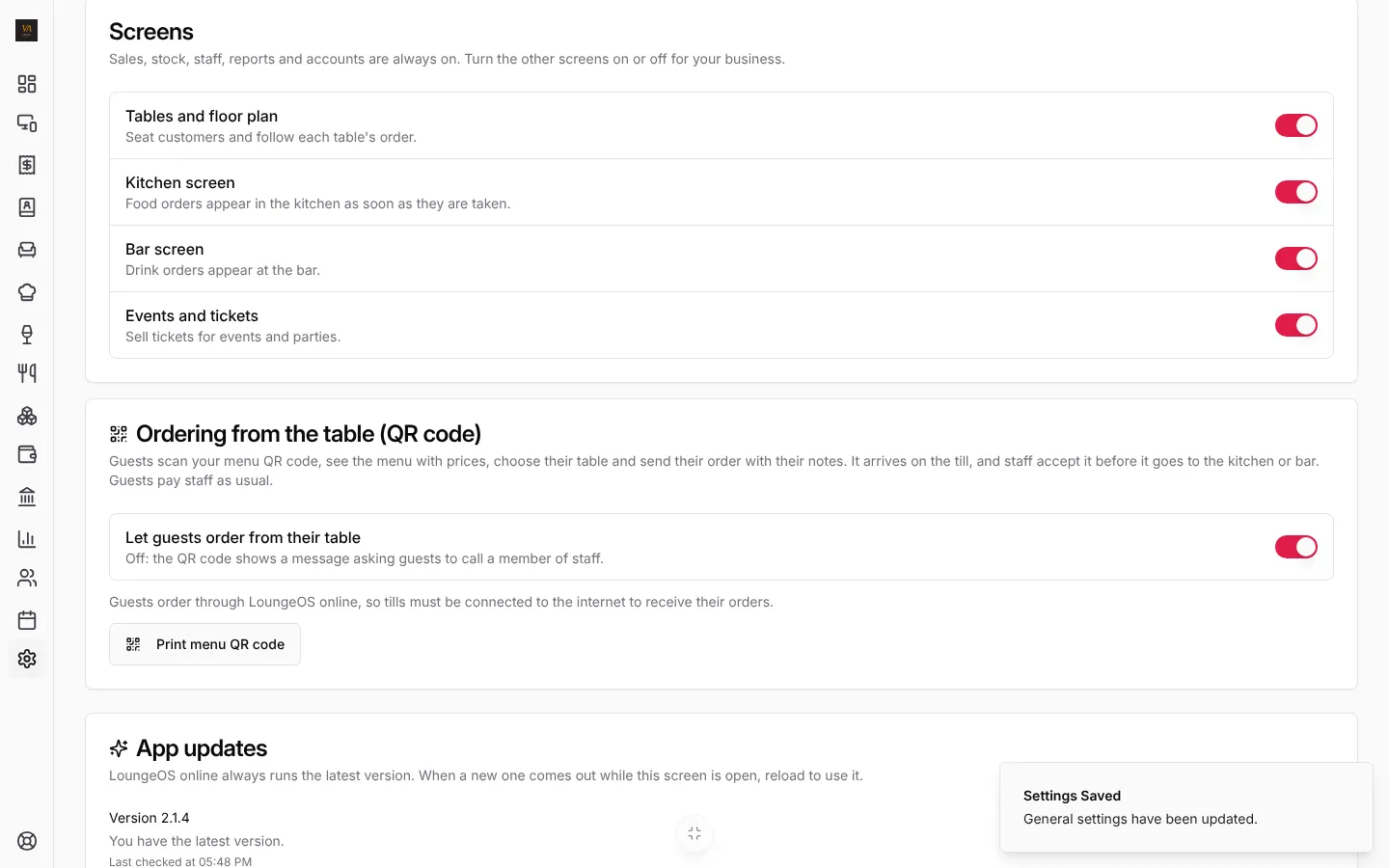
1. Switch it on
- Open Business settings, General.
- Under Ordering from the table (QR code), turn on Let guests order from their table.
- Press Save Changes.
2. Print the menu QR code
- Press Print menu QR code.
- Choose the poster’s language (English or Français) and change the Title and Instructions if you like.
- Press Print, or download it as PDF or PNG to send to a print shop.

There is one code for the whole business, not one per table: guests choose their table when they order. Put it on every table, on the menu and at the bar. New code retires the printed ones (for example if a photo of the code was shared outside).
3. What the guest sees
No app and no sign-in. The guest scans the code with the phone camera:
- They see your menu with photos and prices, in English or French, and add what they want.
- View order, then Choose your table and add a note (“fish well done, please”).
- They press send and see Sent to the staff, then when it is taken or declined.

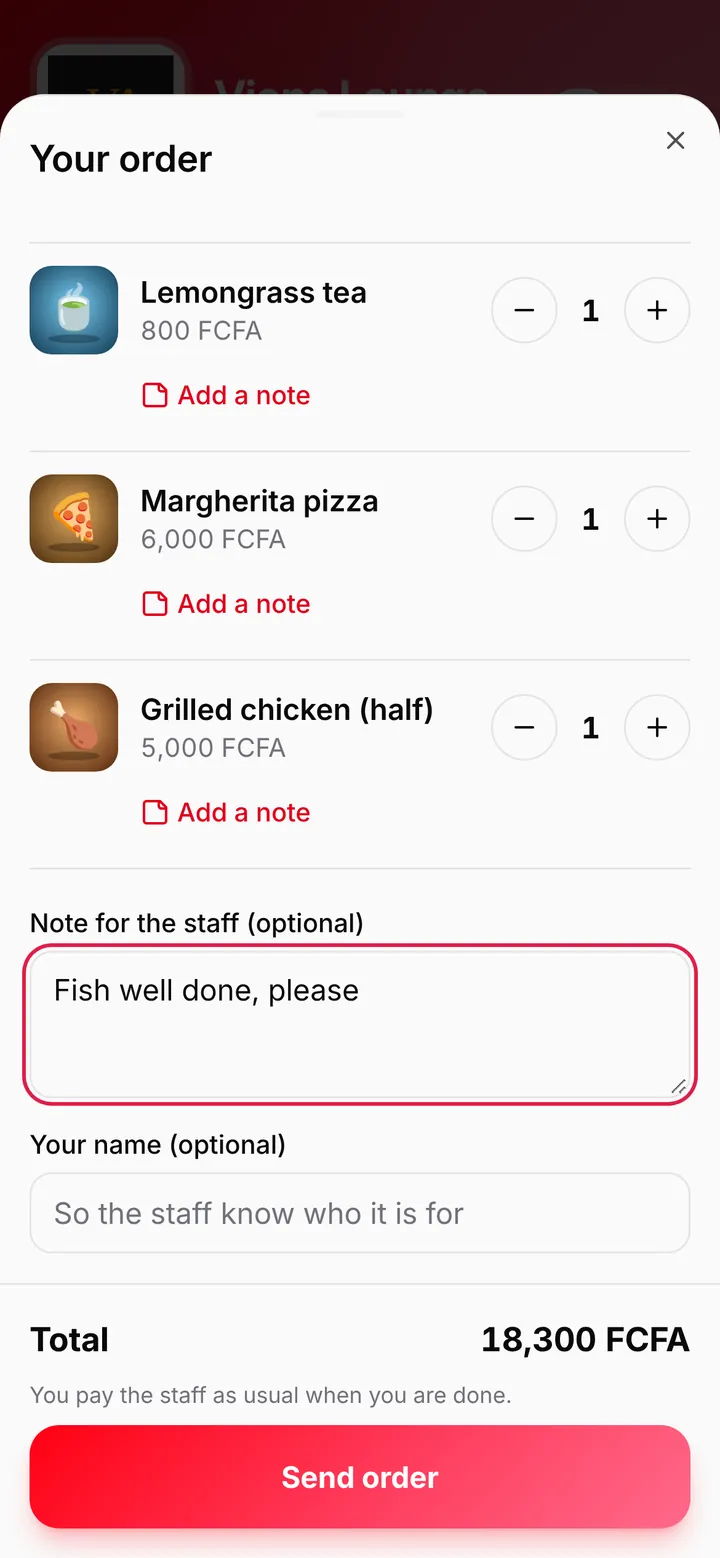

Guests pay staff as usual when they are done.
4. Take the order on the till
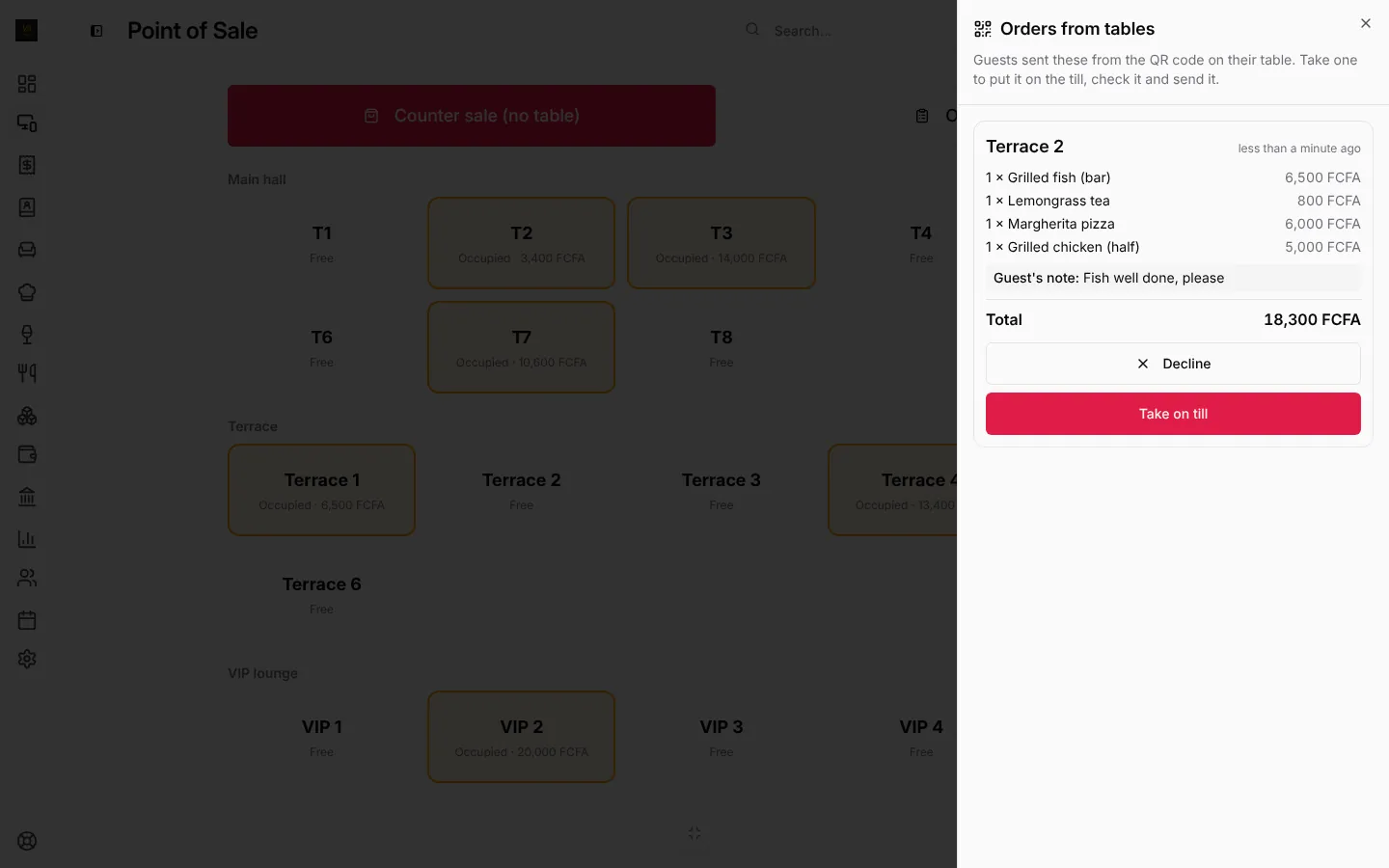
Guest orders arrive on every till and online under From tables, with a count and an alert. Waiters with the phone app get a notification.
- Press From tables. Each order shows the table, the items, the guest’s note and the total.
- Press Take on till: the order goes onto that table’s bill. Check it, then send it like any order (stock, kitchen and bar tickets and manager approvals work as usual).
- Or press Decline if you can’t serve it. The guest’s page says so.
Frequently asked questions
Can guests pay from their phone?
No. LoungeOS does not process payments. Guests pay staff with cash, mobile money or card as usual, and the cashier records it.
Can someone order from home with a photo of the code?
They would still have to pick a table and staff accept each order before it goes anywhere. If that happens, press New code and reprint.
Does it work if the till is offline?
The guest’s order goes to LoungeOS online, so a till without internet does not receive it until it reconnects. Keep the till online during service if you use QR ordering.
Stuck on a step? Write to support@loungeos.app or WhatsApp +237 679 690 703 and say which page you are on.