14-Day Free Trial • No Payment Up Front • Sells Offline on Windows & Mac

The POS and business app for every business that sells.

For restaurants, bars, lounges, cafés, nightclubs, hotels, shops and supermarkets: sell at the till, send orders to kitchen and bar screens, track stock and expenses, and keep your accounts. In the browser or the LoungeOS apps for Windows, Mac and Android, which keep selling when the internet is down.

Plans from US$10 (6,000 FCFA) a month after the free trial. Download for Windows, Mac or Android
Need help installing or setting up LoungeOS for your business? Message or call us on WhatsApp +237 679 690 703 (call).

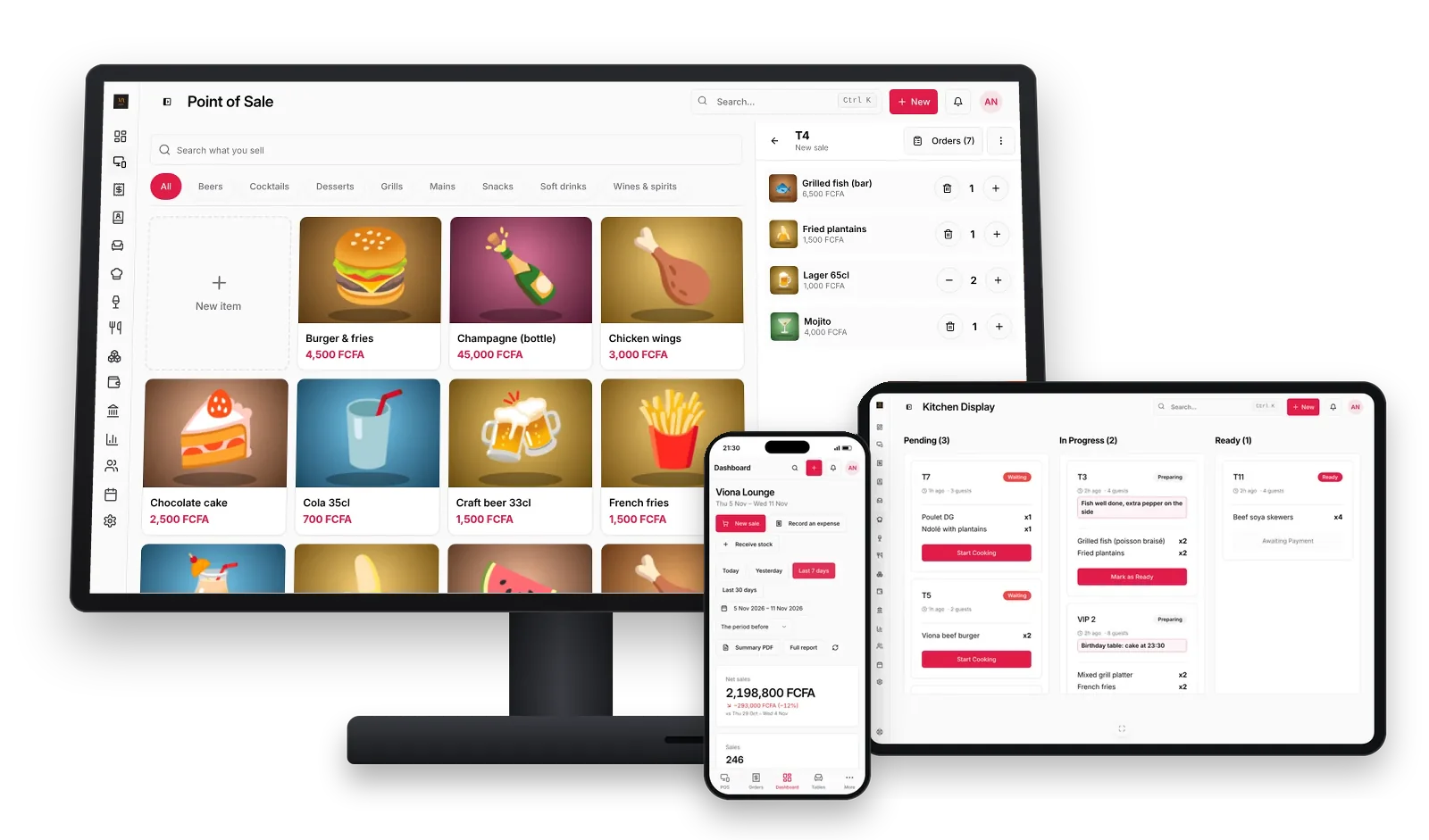
LoungeOS on a POS terminal, a tablet kitchen display and a phone: the till with dish photos and an open order, kitchen tickets and the dashboard in FCFA

One evening at Viona Lounge

Viona Lounge is a cozy restaurant, bar and social hangout in Tarred Malingo, Buea, and it runs on LoungeOS. Follow one evening there, from opening to closing. The figures and staff names on these screens are sample data, not Viona's own accounts. Every screen below is LoungeOS as it ships today.

4:00 pm · Before the doors open

The owner reads her week in one glance

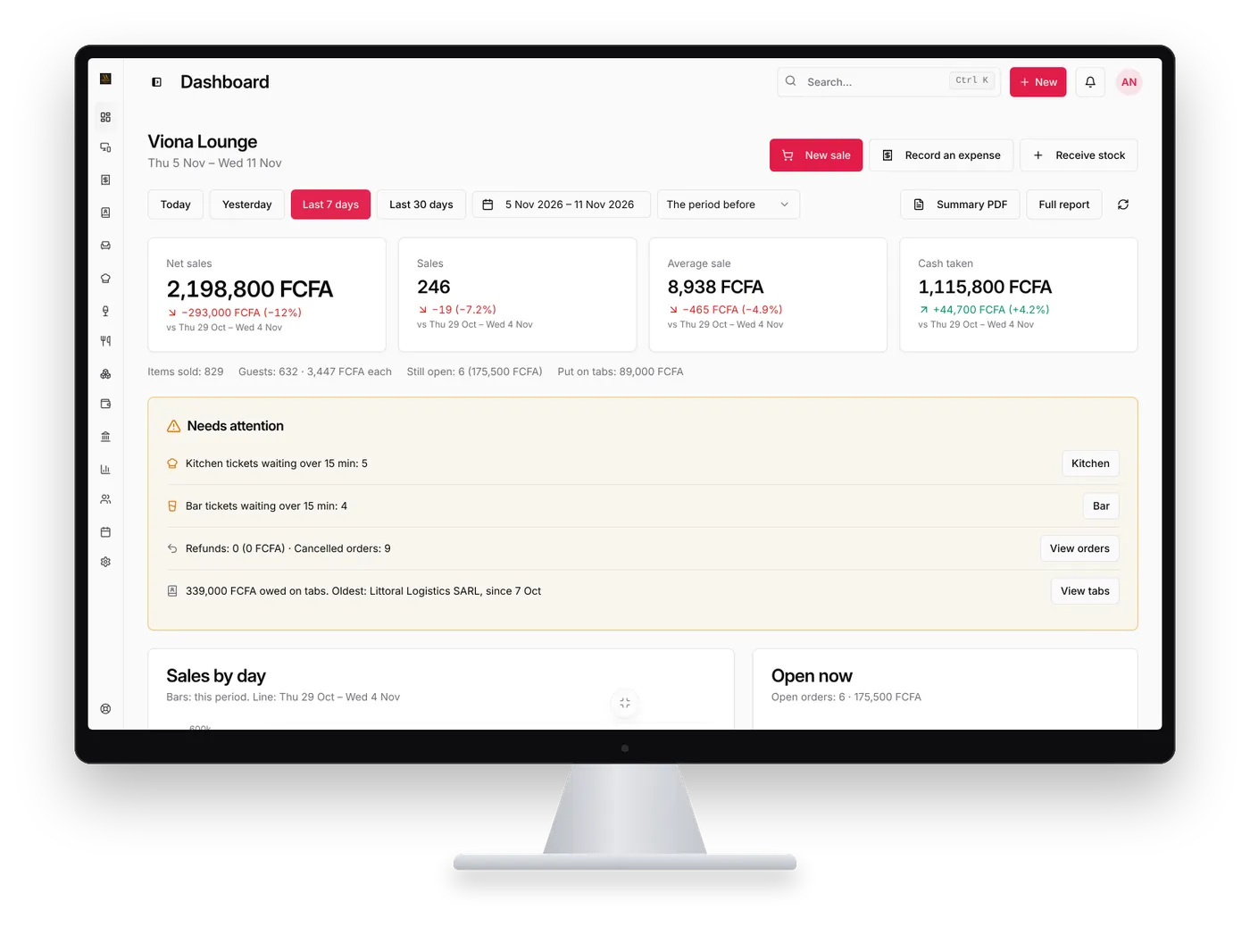
Amina, the owner, opens the dashboard on her computer. The last seven days in four numbers: net sales, number of sales, average sale and cash taken, each compared with the week before. Below, what needs her attention: items running low, tickets waiting too long, and money still owed on customer tabs.

  • Same account in the browser and the Windows, Mac and Android apps
  • Summary PDF of the day in one tap
LoungeOS dashboard on a desktop monitor showing net sales, cash taken in FCFA and a Needs attention list with low stock and tabs

5:30 pm · The beer delivery arrives

Stock that matches what is on the shelf

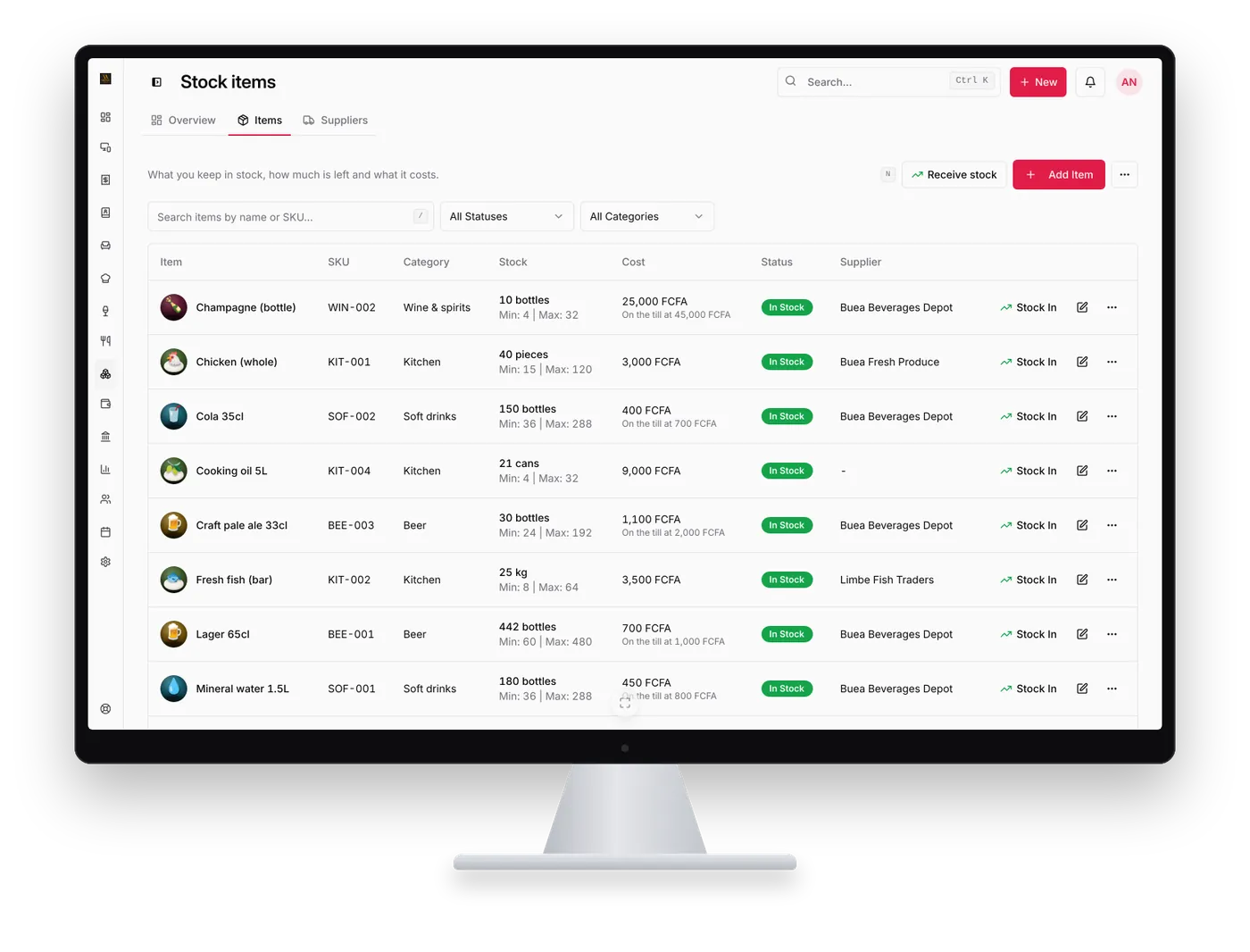
The stock manager ticks what came in, types the quantities and costs from the delivery note, and the counts are right before service. Every sale on the till takes from them, every movement is recorded with a name, and low items are flagged before they run out.

  • Receive a whole delivery in one go
  • Suppliers, barcodes and low-stock alerts
Inventory management
LoungeOS stock items list on a desktop monitor with product photos, stock levels, costs, In stock and Low stock badges and suppliers

8:00 pm · The tables fill up

Waiters take the order at the table

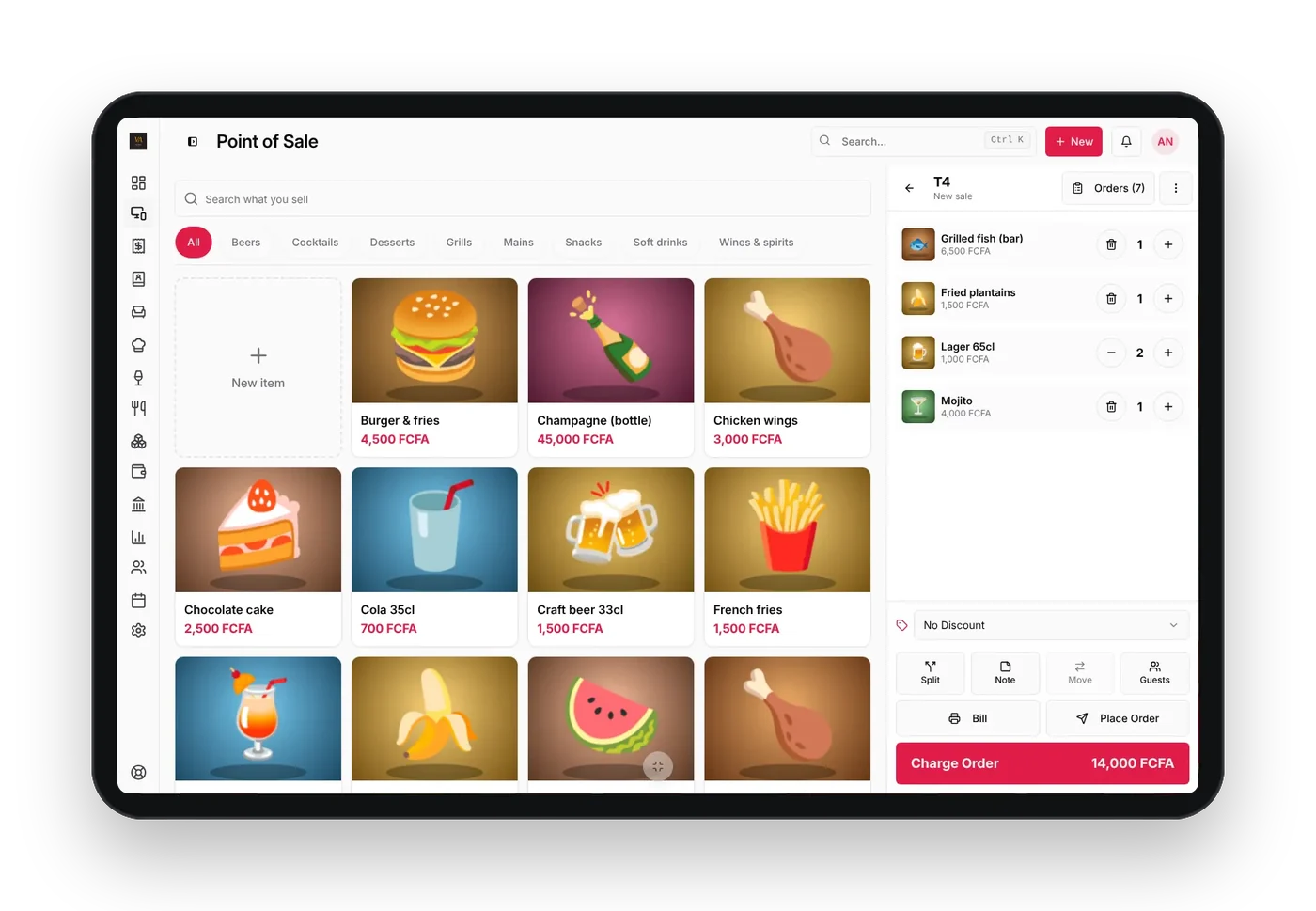
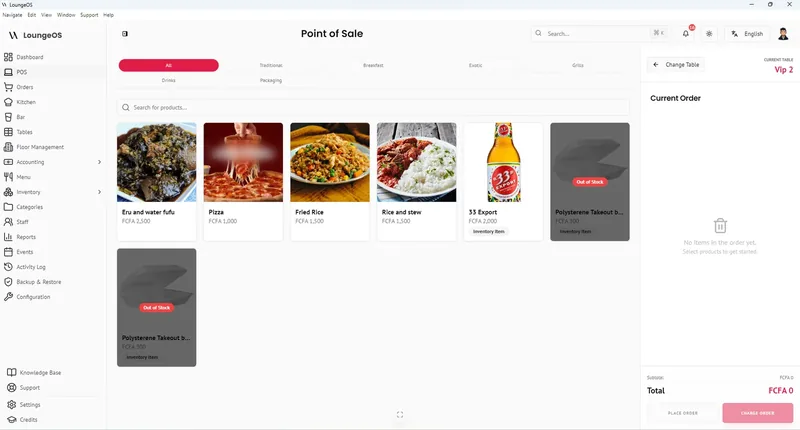
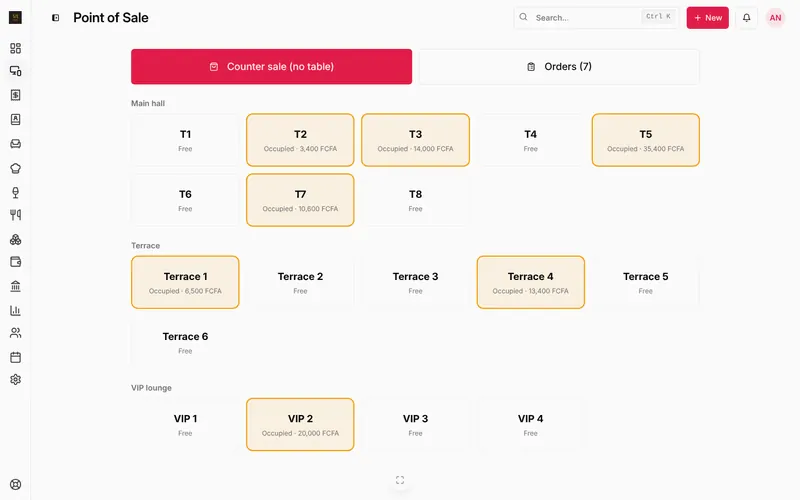
A birthday party of eight sits in VIP 2. Grace opens the table on her tablet and taps the pictures: the mixed grill platter, a bottle of champagne, three house cocktails. Every dish has a photo, so new staff find it in a second. The table plan shows which tables are free, busy or reserved.

  • Works by touch or mouse, from a phone to a large till screen
  • A photo on every product, barcode scanning for shops
Table management
LoungeOS till on a tablet with dish photos and an open table order beside the Charge order button

8:01 pm · Kitchen and bar

No paper ticket to lose

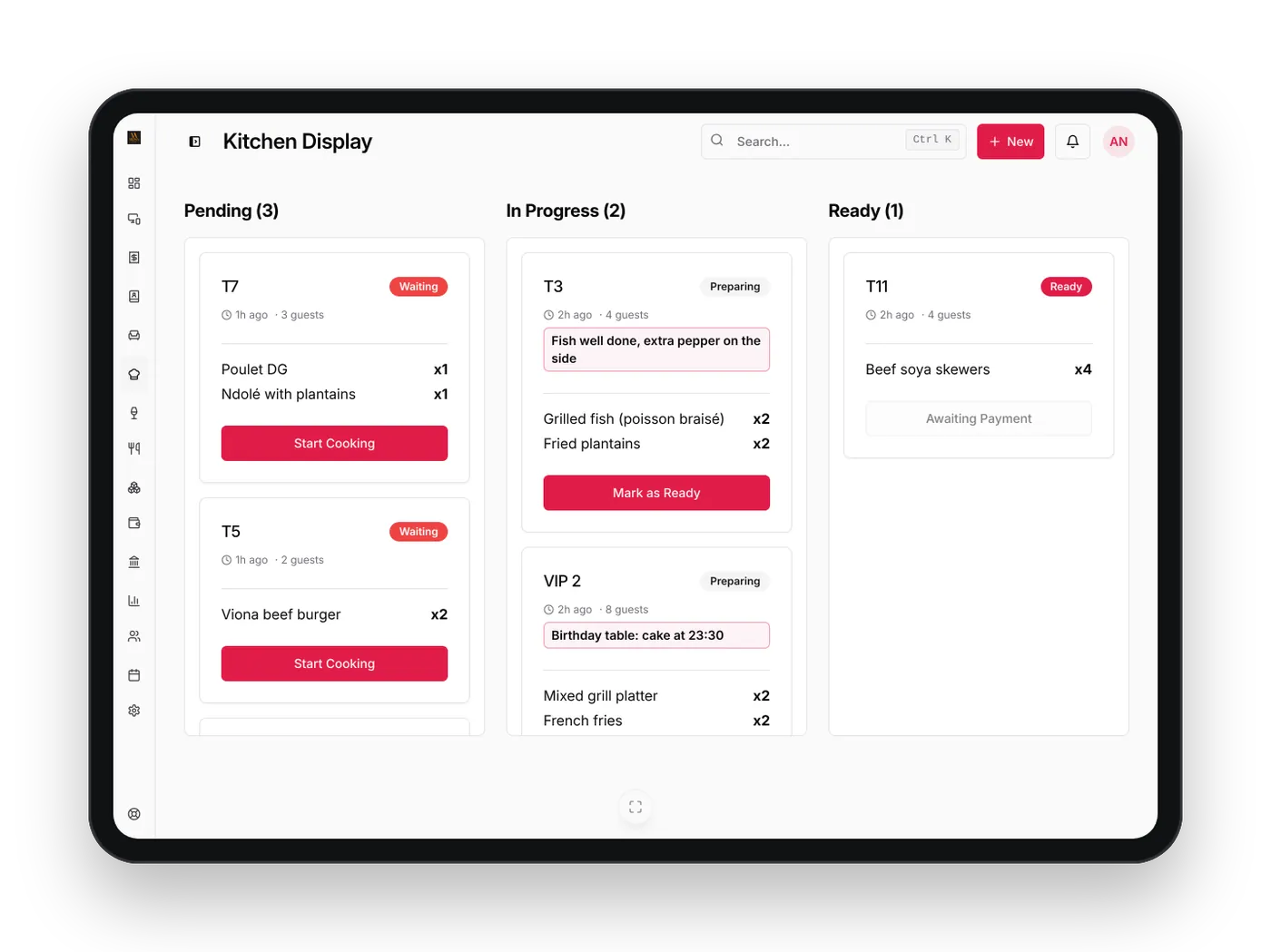
The food appears on the kitchen screen and the drinks on the bar screen, with the waiter's notes in red: "fish well done, extra pepper on the side". The chef presses Start cooking, then Ready, and the waiter knows. If the table adds a dish, the ticket shows only what changed.

  • Kitchen and bar screens on any tablet or computer
  • Printed tickets on 58 mm or 80 mm printers if you prefer paper
Kitchen display system
LoungeOS kitchen display on a tablet with Pending, In progress and Ready orders, guest counts and table notes

9:30 pm · The terrace is full

The second round orders itself

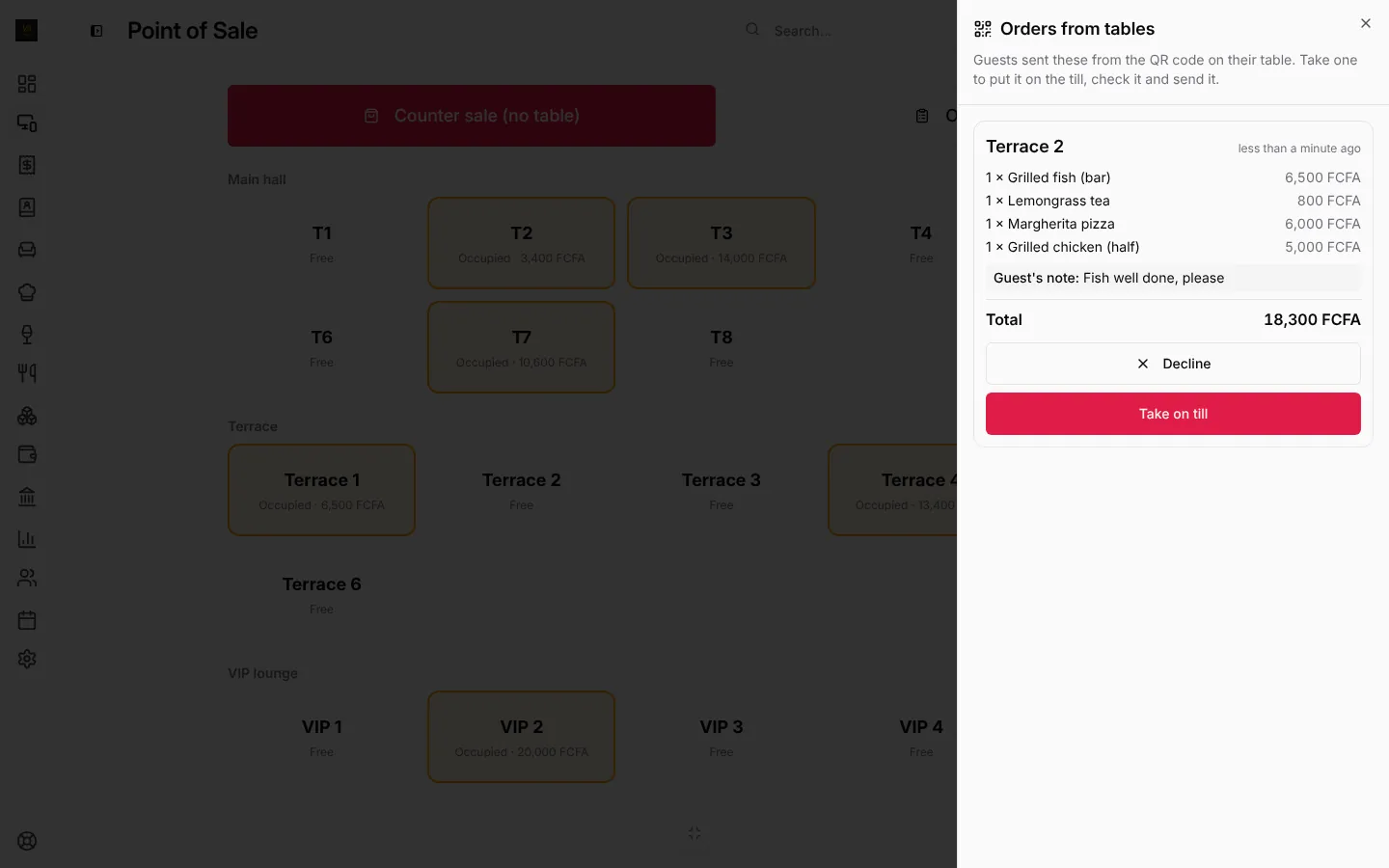
On the terrace, table 5 wants more drinks and every waiter is busy. They scan the QR code on the table, pick two beers and a plate of fries, choose their table and send. The order pops up under From tables on the till and on Grace's phone. She checks it, presses Take on till, and it goes to the bar and the kitchen.

  • One QR code for the whole business, no app for the guest to install
  • Staff accept every order before it reaches the kitchen
QR code table ordering
Orders from tables on the LoungeOS till, each with the table, the items, the guest's note, Take on till and Decline

10:30 pm · The bill

Cash, Mobile Money, split or on the tab

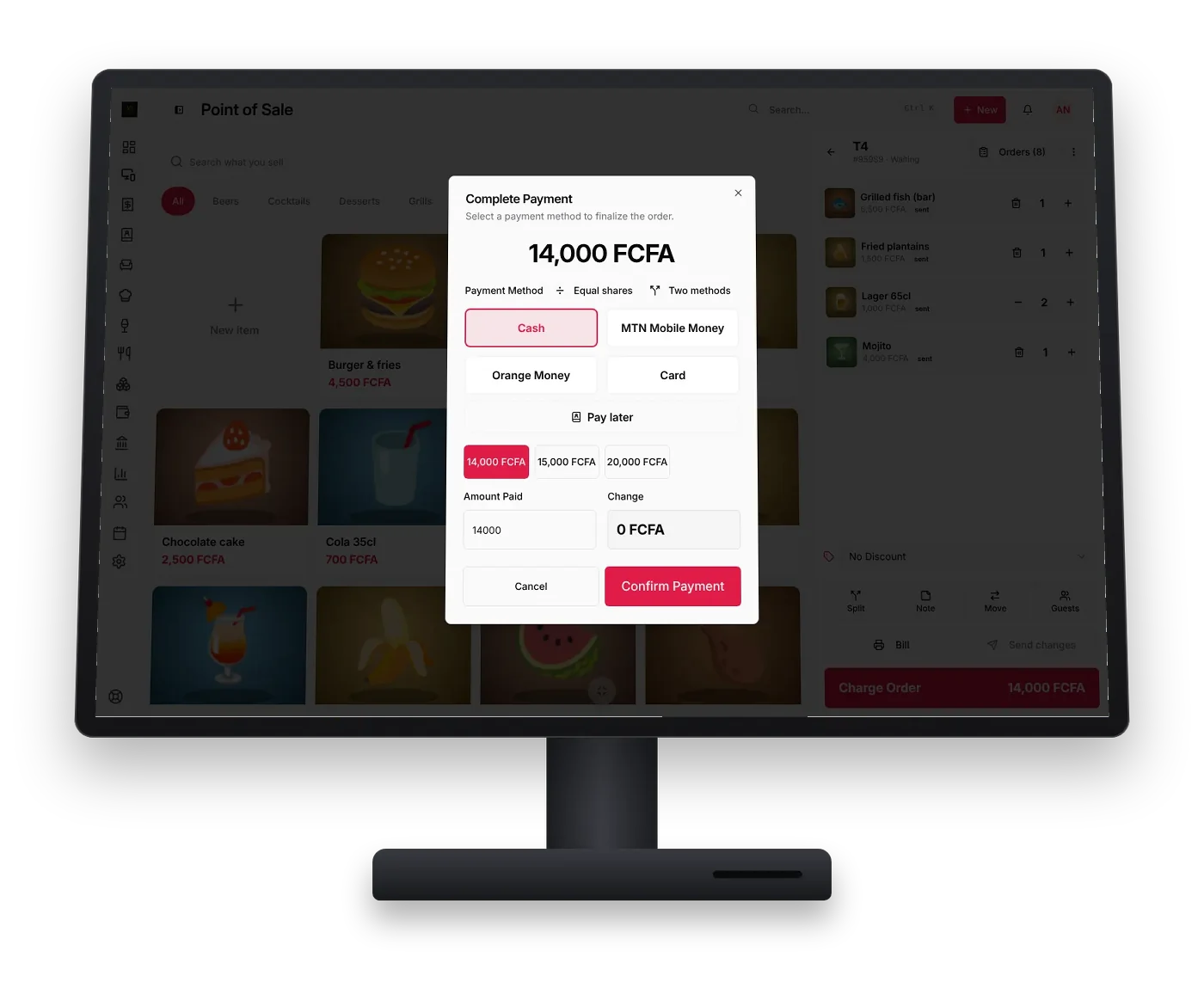
At the counter till, Carine charges table 3. Half in cash, half by MTN Mobile Money with its reference. The next table splits the bill in equal shares, and a regular puts his on his tab to pay at the end of the month. The receipt prints and the cash drawer opens.

  • Cash, MTN Mobile Money, Orange Money, card and your own methods, in FCFA
  • Split, move a table, pay later, 58 mm and 80 mm receipts
Mobile Money POS
LoungeOS till on a POS terminal with the payment window: cash, MTN Mobile Money, Orange Money, card, pay later, split in equal shares or two methods, in FCFA

11:15 pm · The internet drops

Nobody notices

The Windows and Mac apps keep the business on the computer, so the till keeps selling offline: orders, kitchen and bar screens, payments and receipts. Phones on the same Wi-Fi keep working through it. When the connection comes back, everything syncs.

Offline POS

4:00 am · The day closes

Every sale, every franc, every name

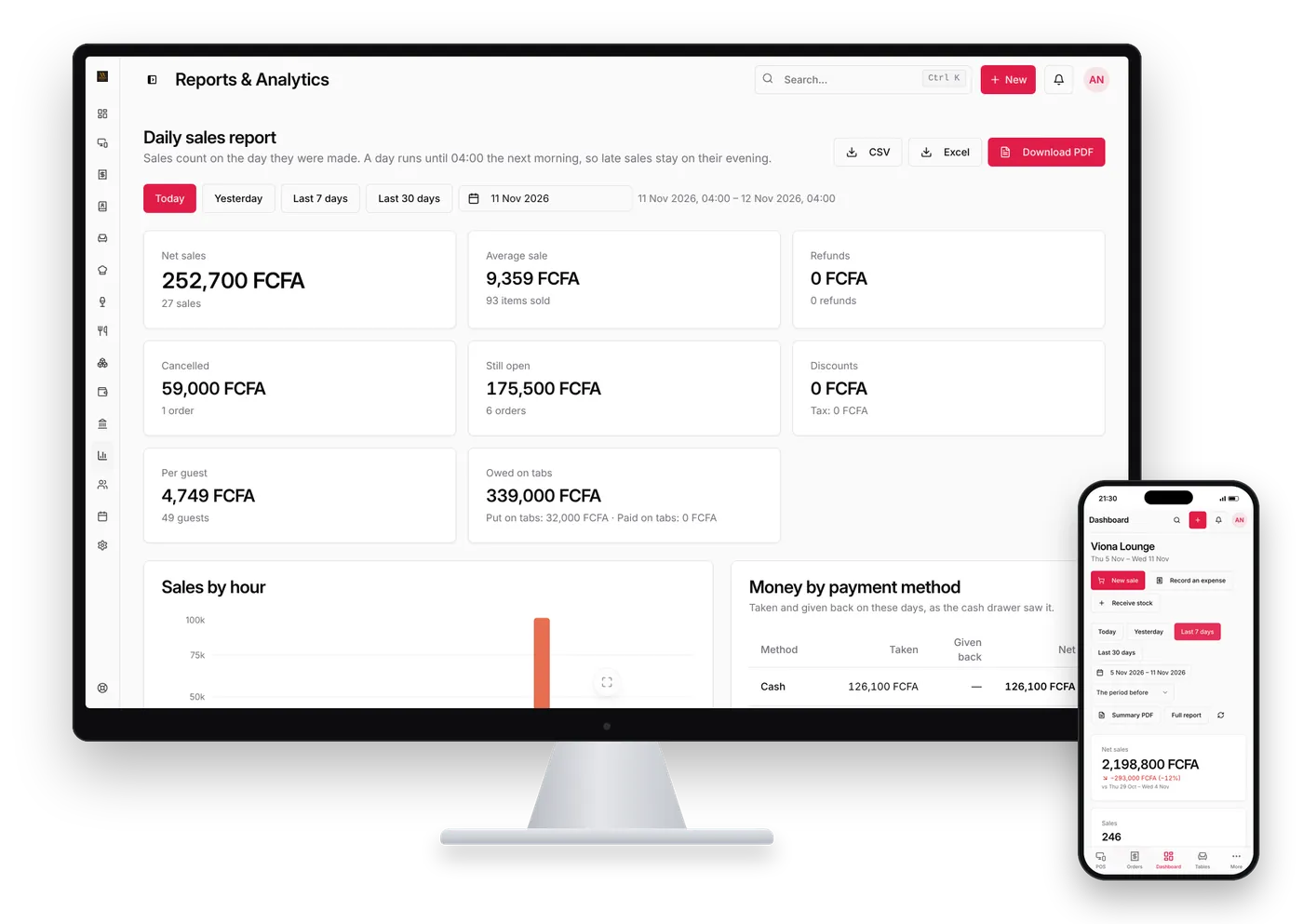
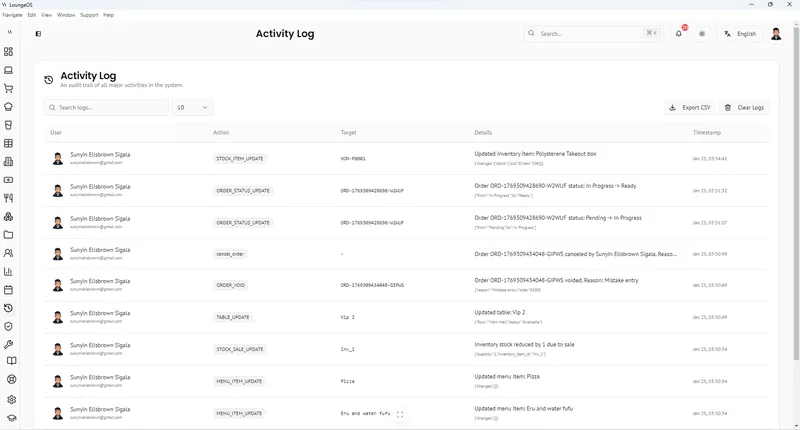
The daily report breaks the night down by hour, product, waiter and payment method, ready as PDF, Excel or CSV. Expenses go into categories, the books keep themselves, and the activity log shows who cancelled what and why. Amina checks it on her phone the next morning.

  • Expenses, chart of accounts, profit and loss
  • Roles, PINs, manager approval and an activity log
Accounting Loss prevention
LoungeOS daily sales report on a desktop monitor next to the dashboard on a phone

Your own evening starts with three steps

  1. Create your account on app.loungeos.app with email or Google.
  2. Answer three questions: business name, country and what you sell. Logo, payment methods and receipts can wait.
  3. Add your items and team: a photo and price for each product, a role and PIN for each person.
Start free trial All features

See LoungeOS Transform Your Business Live

Book a 1-on-1 demo with our team. We'll show you how LoungeOS fits your business, from the first sale to the end-of-day report.

Schedule a Demo Call Download for Windows

Three Plans, Priced in US$ or FCFA.

Every plan starts with a 14-day free trial with Business features. No payment up front. Pay yearly and get 2 months free.

Monthly Yearly 2 months free

Starter

From
US$10
/ month
  • 2 users, 2 devices
  • POS, tables, kitchen and bar screens
  • Inventory and suppliers
  • Customer tabs (pay later)
  • Daily reports
Start free trial

Pro

From
US$50
/ month
  • Unlimited users, 10+ devices
  • Everything in Business
  • Several branches
  • All-branches sales overview
  • Priority support
Start free trial

Download LoungeOS for Windows, Mac and Android

Every app uses the same LoungeOS account: install it, open it and sign in. Or open the web app in any modern browser, with nothing to install.

Recommended for you

Windows

Windows 10 & 11 (64-bit)
Sells offline and syncs when back online

Download for Windows
Recommended for you

Mac (Apple Silicon)

M1 and later
Sells offline and syncs when back online

Download for Apple Silicon
Recommended for you

Mac (Intel)

Intel processor
Sells offline and syncs when back online

Download for Intel Mac
Recommended for you

Android

Android 7.0 or later
Notifications by role and a widget

Download for Android
Recommended for you

Web app

Any modern browser
Nothing to install, needs internet

Open the web app

System requirements, installation and sign-in steps for every app →

Set up for your country

Your own currency and taxes, mobile money as a payment method, and English or French, with a page for each market.

Frequently asked questions

LoungeOS is point of sale (POS) and business management software for every kind of business that sells: restaurants, bars, lounges, cafés, nightclubs, hotels, retail shops, supermarkets and more. It handles sales, tables and orders, kitchen and bar screens, payments, receipts, inventory, expenses, accounting, staff roles and reports, in English and French.

LoungeOS runs in any modern browser at app.loungeos.app, and as apps for Windows 10 and 11 (64-bit), Mac (Apple Silicon and Intel) and Android 7.0 or later. You use the same LoungeOS account on all of them. Download LoungeOS.

Yes, in the Windows and Mac apps. They keep your business’s data on the computer, keep selling without internet and sync automatically when the connection comes back. Phones and tablets on the same Wi-Fi can keep using the desktop app through their browser. After 7 days without syncing, the till becomes read-only until it reconnects, and a warning shows during the last 2 days. The web app and the Android app need internet. How offline mode works.

Starter costs US$10 a month (6,000 FCFA), Business US$25 a month (15,000 FCFA) and Pro US$50 a month (30,000 FCFA). Pay yearly and you get 2 months free: US$100, US$250 or US$500 a year (60,000, 150,000 or 300,000 FCFA). Visitors in Cameroon see prices in FCFA, everyone else in US$. Every plan starts with a 14-day free trial with Business features, with no payment up front. See pricing.

Create your account at app.loungeos.app with your email and password, or click Continue with Google. A setup wizard asks for your business type, name, logo, currency, taxes, payment methods and opening hours, then suggests menu, inventory and expense categories to tick, so LoungeOS is configured on day one. In the Windows, Mac and Android apps, you sign in with the same account. There are no keys or codes to copy.

You manage your plan, invoices and payments at account.loungeos.app. You can pay with Mobile Money (MTN, Orange), card or PayPal. The amount is charged in FCFA, and US$ prices are shown converted. Invoices and receipts arrive by email. Billing questions: billing@sigalix.com.

LoungeOS becomes read-only, on the web and on your tills, until you renew. You can still see past orders and reports, print and export, but you can’t make new sales or edits. Nothing is ever deleted.

It removes the usual opportunities. The owner invites each staff member by email and gives them a role with its own permissions, so people only do what their role allows. On a shared till, staff switch with a quick PIN, and every action is written to the activity log with a name. Loss prevention features.

Yes. Each business creates its own payment methods, such as cash, MTN Mobile Money, Orange Money, card or bank transfer, and the cashier picks the right one for each payment. Payments and mobile money.

The devices you already have: a Windows or Mac computer, an Android phone or tablet, or any device with a modern browser. LoungeOS works with touch and mouse on any screen size. Receipts print on 58 mm and 80 mm thermal printers, or as PDF. Read the hardware guide.

The app is available in English and French. You choose your currency and your taxes in the setup wizard.

LoungeOS keeps a copy of all your data in the cloud and makes daily full backups. Logos, images and documents you upload are stored securely in the cloud. The Windows and Mac apps also keep your business’s data on the computer. Each staff member only sees what their role allows, and the activity log shows who did what.

Yes, by email at support@loungeos.app and by phone on +237 679 690 703, in English and French. For other questions, write to info@sigalix.com. See also the help centre.

More questions