In this guide
Restaurant POS systems come in two basic designs. Most marketing blurs the difference with phrases like “hybrid” or “works offline”, but the underlying design decides how your restaurant behaves on its worst night.
The two designs in plain words
Cloud POS. The software and database live on the vendor’s servers in a data centre. Your tablets are windows into that system over the internet. When the internet drops, each device switches to an offline mode: it stores what it can locally and syncs later.
Offline-first (local) POS. The software and database live on a computer in your venue. Your phones and tablets connect to that computer through your Wi-Fi router. The internet isn’t involved in taking an order, so an outage changes nothing during service.
Hybrid usually means a cloud POS with a local component. Toast’s local hub, for example, relays orders between devices during an outage. That’s genuinely better than device-only offline mode, but the “source of truth” is still in the cloud, and some tasks wait for reconnection.
Side-by-side comparison
| Cloud POS | Offline-first POS | |
|---|---|---|
| Where data lives | Vendor’s servers | Your computer |
| Internet outage | Offline mode with limits | Full service continues |
| Local Wi-Fi failure | Devices can’t talk to each other | Devices can’t reach the host. Keep the router on a UPS |
| Remote access for owner | Built in, from anywhere | On the local network. Remote access requires extra setup |
| Updates | Automatic | Install new versions |
| Backups | Handled by vendor | Your responsibility (one-click in good systems) |
| Pricing model | Monthly per location, often per device, often processing margin | Monthly or licence, often unlimited devices |
| Hardware | Often vendor-specific | Usually any PC, phone or tablet |
| Vendor outage risk | Their outage is your outage | Unaffected |
| Data portability | Depends on export options | Data is on your machine |
When cloud POS is the better choice
- You have reliable broadband with a backup connection.
- Most customers pay by card and you want integrated processing.
- You need online ordering and delivery integrations.
- You run many locations and want central menus and reports with no IT effort.
- You want to check sales from anywhere without any setup.
When offline-first POS is the better choice
- Internet or power fails weekly or more.
- Most revenue is cash, mobile money or bank transfer, so offline card processing limits don’t help you.
- You want all devices included at a predictable price.
- You want your data on your premises.
- Your country has poor coverage from big cloud POS vendors’ support and hardware.
Common worries about offline-first POS, answered
“What if the computer dies?”
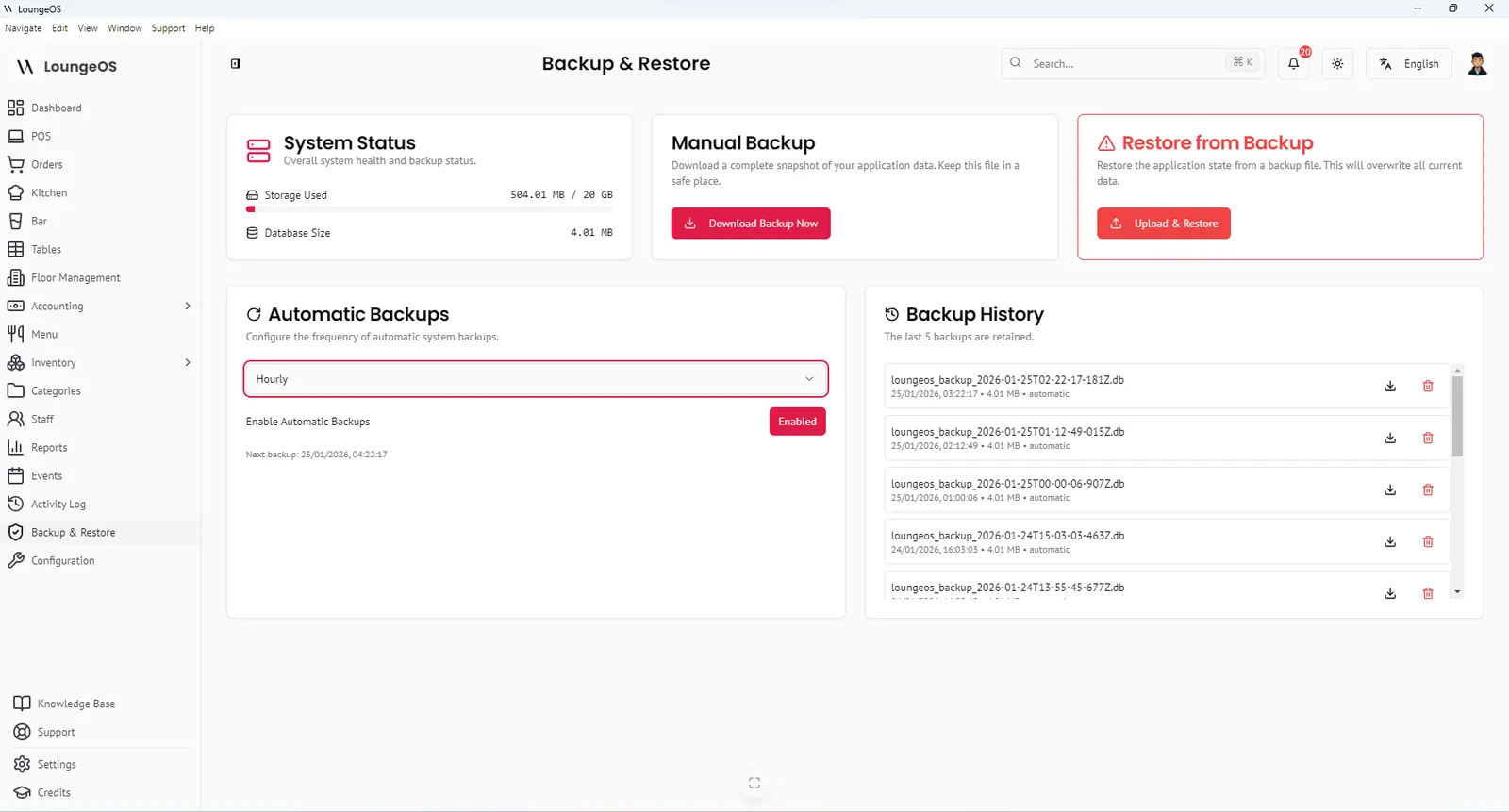
That’s the real risk of a local system, and it’s manageable. Put the host on a UPS, and back up daily to a USB drive and to cloud storage. In LoungeOS, an encrypted backup is one click, automatic backups can be scheduled, and restoring to a new Windows computer takes minutes. See backup and restore.
“Can I see my sales from home?”
Cloud systems win here by default. With a local system, reports are on your network. Many owners check reports when they arrive in the morning or ask the manager to send the end-of-day report. If remote visibility is critical, ask your vendor about remote access options.
“Isn’t local less secure?”
Not inherently. A cloud vendor protects its servers well, but your data is exposed to its breaches and policies. Locally, security depends on you: personal logins for every staff member, automatic session timeouts, a strong admin password and encrypted backups. LoungeOS logs out inactive sessions after two hours and records failed login attempts.
“What about updates?”
Local software needs updating when new versions come out. With LoungeOS you download the new installer. Your data stays in place.
A simple decision guide
Answer honestly:
- Did your internet fail during service more than twice last month?
- Is more than half your revenue cash or mobile money?
- Would losing access to the POS for 30 minutes on a Saturday cost you real money?
Two or more “yes” answers: choose offline-first. Otherwise a good cloud POS with documented offline behaviour may suit you better.
Run your next service on LoungeOS
Install LoungeOS on a Windows computer, connect your tablets and phones over Wi-Fi, and run real service for 30 days. Free, no credit card.
Frequently asked questions
What is the difference between a cloud POS and an offline POS?
A cloud POS stores its software and data on the vendor’s servers and needs the internet, with a limited offline mode for outages. An offline-first POS runs on a computer in your venue, and devices connect over local Wi-Fi, so it keeps working fully without internet.
Is a local POS server old technology?
No. The design is old, but modern offline-first systems use web technology so any phone or tablet can be a terminal through its browser. Only the server is local.
Can a local POS be accessed remotely?
Reports are available to any device on the venue’s network. Accessing them from outside requires network configuration or a remote access tool, which cloud systems include by default.
Which is cheaper, cloud or local POS?
It depends on the pricing model. Cloud systems often charge per location and per device, plus a margin on card processing. Offline-first systems like LoungeOS often charge a flat price with unlimited devices. Compare 3-year total cost.