In this guide
- 1. Zones: design the money map
- 2. Bottle service: your best margin, your biggest risk
- 3. Events: plan the nights that pay the rent
- 4. Staffing and roles
- 5. Late-night cash control
- 6. Stock, ordering and suppliers
- 7. KPIs for lounges and clubs
- Opening a lounge? The systems checklist
- Frequently asked questions
A lounge sits somewhere between a restaurant, a bar and a club: table service, food, premium drinks and music, often late into the night. That mix makes it one of the most profitable hospitality formats, and one of the easiest to lose money in. This guide covers the operating system of a successful lounge or club. If you’re planning to open one, use it as your checklist.
1. Zones: design the money map
Divide the venue into zones, each with its own purpose and price level:
| Zone | Purpose | Staffing |
|---|---|---|
| Main floor | Volume: drinks, light food | Waiters with 5–8 tables each |
| VIP / mezzanine | Bottle service, minimum spend | Dedicated VIP waiters, fewer tables |
| Terrace / garden | Early evening, shisha, food | Waiters + runner |
| Bar counter | Walk-ins, fast drinks | Bartenders |
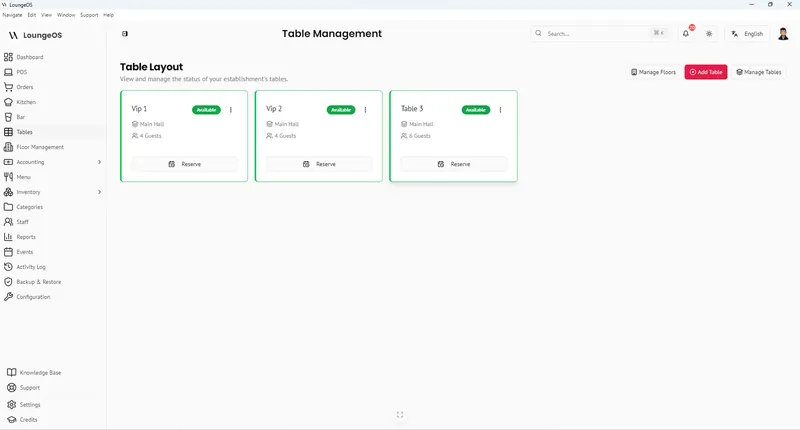
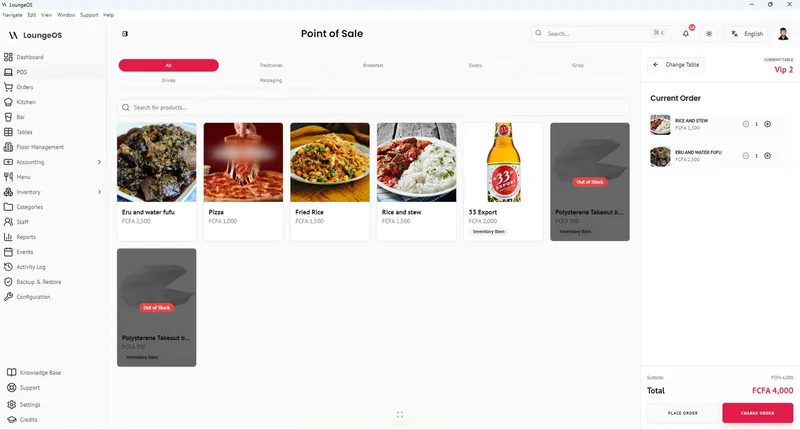
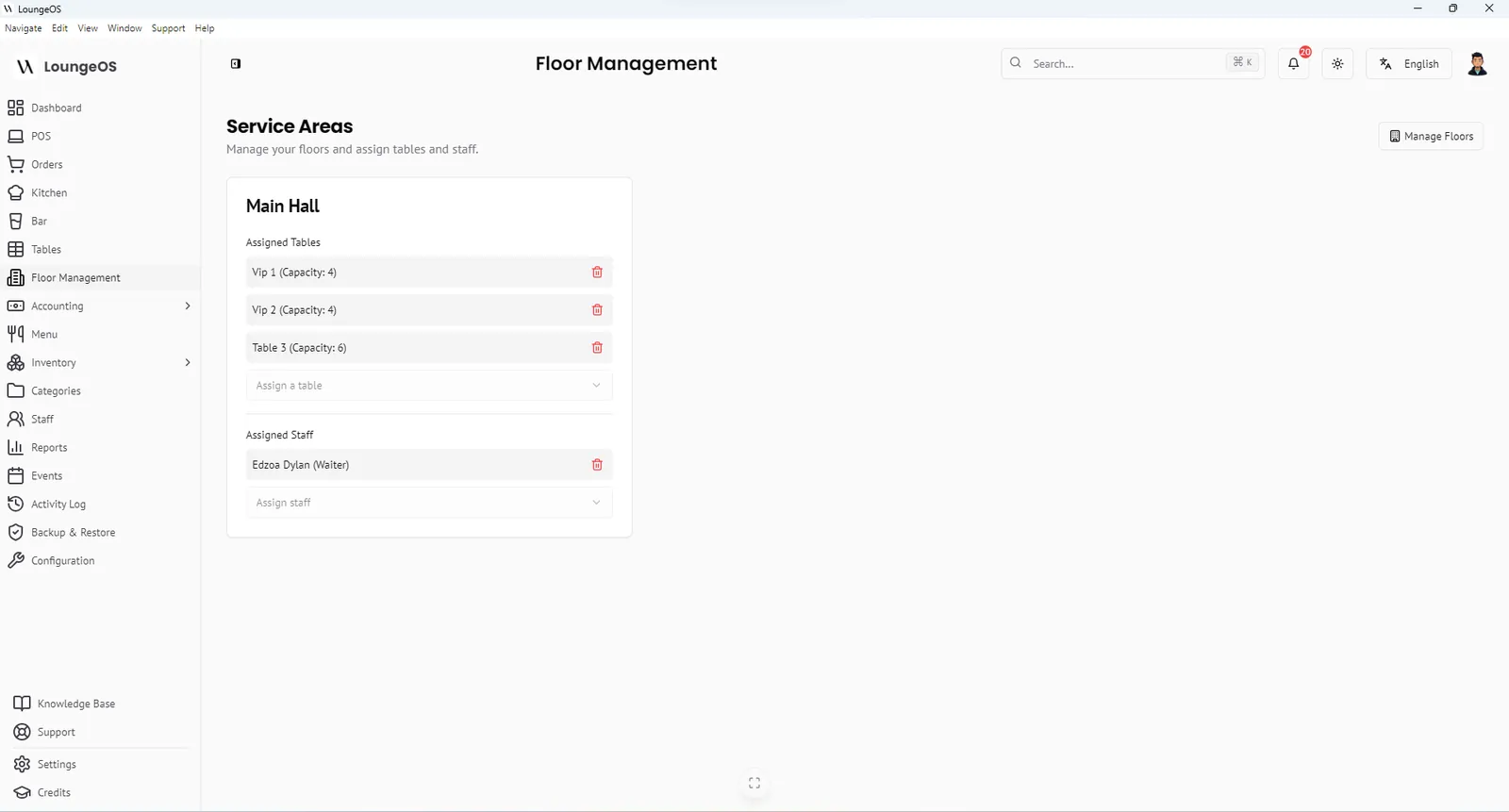
Mirror these zones in your POS. In LoungeOS you create a floor for each zone, add its tables and assign waiters to it. VIP waiters only see VIP tables, so every bottle order belongs to a named person.
2. Bottle service: your best margin, your biggest risk
Premium bottles carry big margins, which makes them a target. Control them like cash:
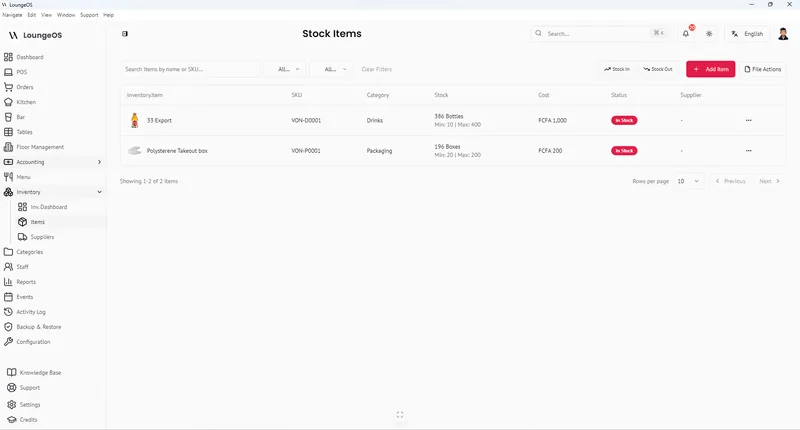
- Each bottle is a stock item with cost price and a minimum level.
- Only ordered bottles leave the bar. The bar display shows exactly which table ordered which bottle.
- Every unsold bottle that leaves is recorded as damage, waste or loss, with a name.
- Removing a bottle from a bill requires a manager.
- Count premium bottles before and after every event night.
If you sell by minimum spend for VIP tables, make the rule clear at booking and track each VIP table’s total on the POS during the night.
3. Events: plan the nights that pay the rent
Lounges live on recurring nights (after-work Thursdays, ladies’ night, DJ Saturdays) and private events (birthdays, corporate hires). For each event, plan:
- Staffing: extra bartenders and runners, security
- Stock: the products that sell on that night, ordered above par
- Promotions: pre-defined discounts or happy-hour prices, configured in advance, never improvised
- Capacity: VIP reservations and walk-in limits
LoungeOS has an Events module to plan events with dates, location and capacity, and a dashboard calendar so the whole team sees what’s coming.
4. Staffing and roles
Give each person one clear role and one personal login:
- Manager on duty: approves voids, splits and corrections, and closes the night
- Waiters: take orders for their zone only
- Bartenders: prepare what’s on the bar display, nothing else
- Cashier: takes payments and records cash and mobile money references
- Kitchen (if food): works from the kitchen display
Separation of duties matters even more at night: the person who takes the order shouldn’t be the person who takes the cash, if you can avoid it. See POS permissions.
5. Late-night cash control
The riskiest hours are the last two: the manager is tired, the room is dark, and big groups pay in a mix of cash and mobile money.
- Personal logins with automatic timeout. No shared tablets left logged in.
- Manager-only removals and splits.
- A reason for every cancellation.
- Mobile money confirmed on the business phone with the reference recorded.
- Cash counted at shift change against the POS cashier total.
- Next-morning log review: cancellations, discounts, stock losses and logins after closing.
6. Stock, ordering and suppliers
- Set par levels for every bottle and beer, higher before event nights.
- Receive deliveries against the order, count crates and record stock in immediately.
- Do a weekly count of the top 20 products by value and compare with expected stock.
- Track shisha consumables (charcoal, foil, flavours) as stock items too.
See bar inventory shrinkage and pour cost.
7. KPIs for lounges and clubs
- Revenue per event night vs normal nights
- Average spend per VIP table
- Pour cost and top-10 bottle variance
- Cancellations and discounts by staff member
- Revenue per waiter per hour
- Cash and mobile money reconciliation gaps
Opening a lounge? The systems checklist
- ☐ Zones and table plan finalised, with numbers on tables
- ☐ POS installed with zones, tables, menu, prices and photos
- ☐ Personal accounts and roles for every staff member
- ☐ Bar display and kitchen display tested on Wi-Fi in every zone
- ☐ Host computer and router on backup power
- ☐ Opening stock counted and entered
- ☐ Discount rules for promotions configured, everything else off
- ☐ Mobile money merchant accounts open and codes displayed
- ☐ Closing routine written: cash count, wallet reconciliation, backup
Run your next service on LoungeOS
Install LoungeOS on a Windows computer, connect your tablets and phones over Wi-Fi, and run real service for 30 days. Free, no credit card.
Frequently asked questions
What is the best POS for a lounge?
A lounge needs table service across several zones, a bar display, bottle-level stock control, events and strict late-night controls. LoungeOS was designed specifically for this. See lounge POS.
How do lounges prevent bottle theft?
By tracking each bottle as a stock item, preparing only what appears on the bar display, recording every loss with a name, requiring a manager to remove bottles from bills, and counting premium bottles before and after events.
How many waiters does a lounge need?
It depends on zones and volume. Main-floor waiters often handle 5–8 tables, VIP waiters fewer. Add runners and bartenders for event nights.
How do I run happy hour without abuse?
Configure the discount or special prices in your POS for the exact promotion, and don’t allow free-form discounts. Review discounts by staff member the next day.